

API
Waydev API
The API page allows you to manage web API tokens and their scopes. All existing tokens are listed in a table with the following columns:
- Name — The name of the token, used to identify its purpose.
- Scopes — The permissions granted to the token (e.g. Admin, Stats, Deployments/Incidents).
- Created — The date and time the token was created.
- Last used — The date and time the token was last used.
- Actions — Options to manage or delete the token via the ··· menu.
To create a new token, click + Add new token in the top-right corner. You can adjust the visible columns using the Columns button.

Adding a new API token
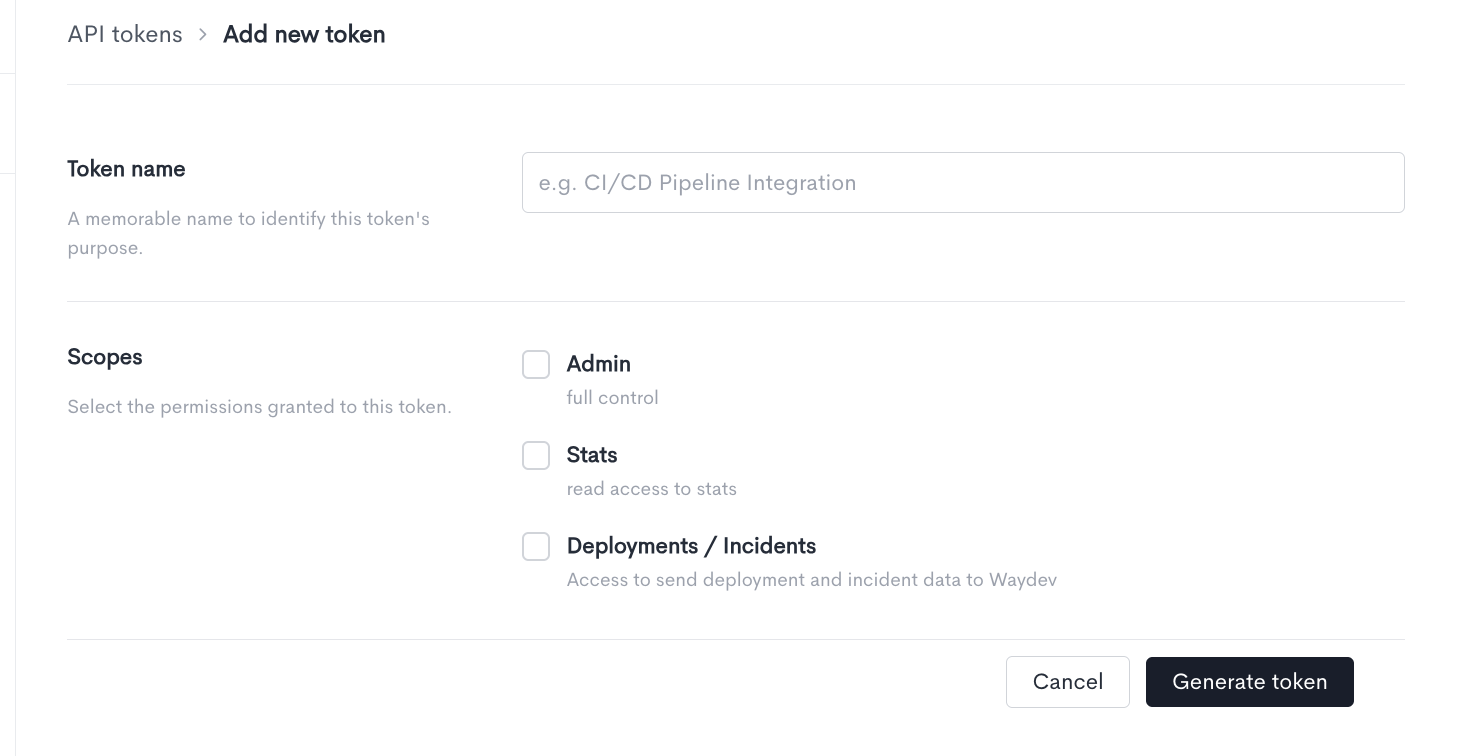
When creating a new API token, fill in the following fields:
- Token name — A memorable name to identify this token's purpose (e.g. CI/CD Pipeline Integration).
- Scopes — Select the permissions granted to this token. One or more scopes can be selected:
- Admin — Full control over the Waydev workspace.
- Stats — Read access to stats and reporting data.
- Deployments / Incidents — Access to send deployment and incident data to Waydev.
Once all fields are filled in, click Generate token to create the token. Make sure to copy and store the token value immediately after generation, as it will not be shown again. Click Cancel to discard the changes and return to the API tokens list.
Updated about 1 month ago