

Mean Time To Restore
View the Mean Time To Restore report.
Mean Time to Restore
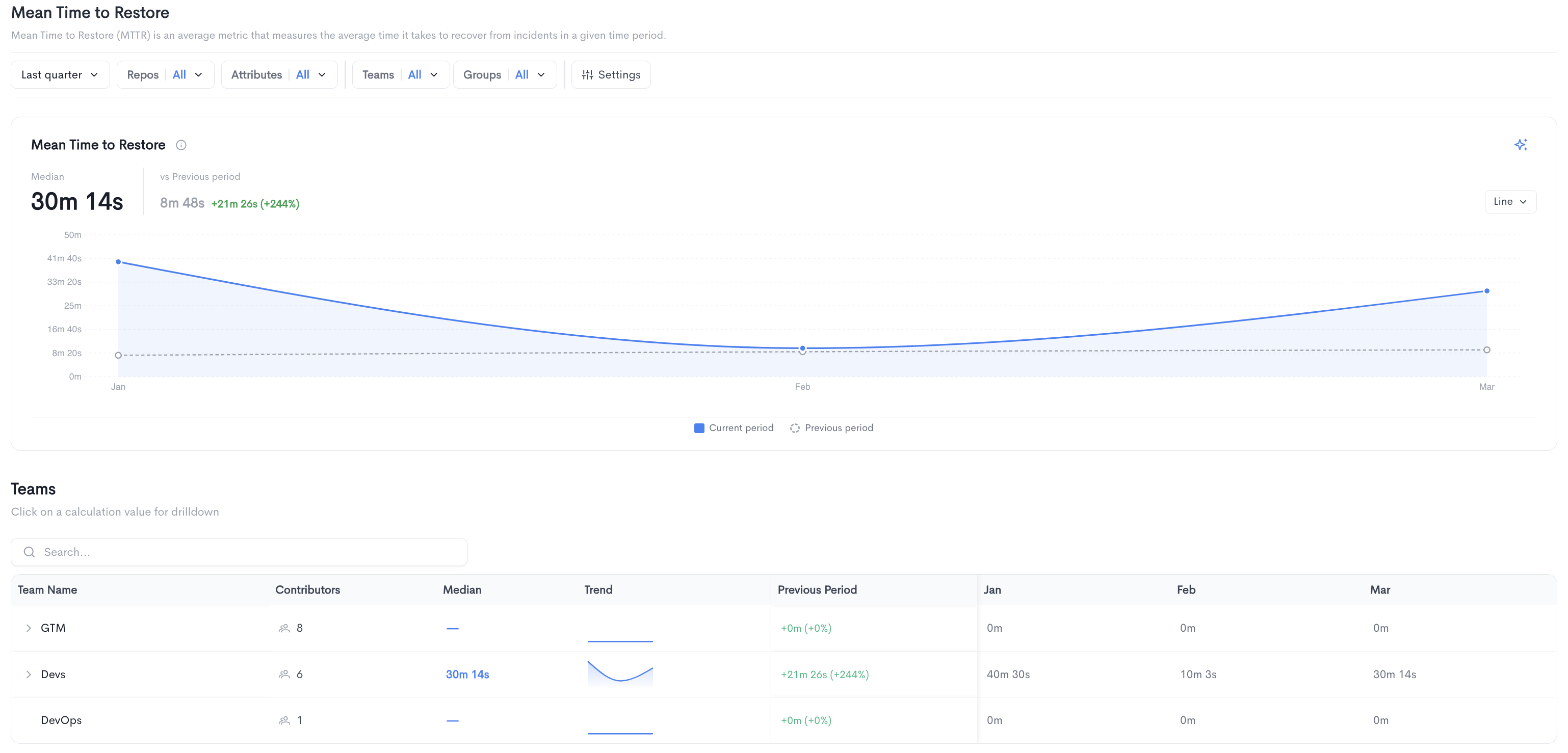
The Mean Time to Restore (MTTR) report measures the average time it takes to recover from incidents in a given time period.
The top of the page shows the median time to restore for the selected period alongside a comparison to the previous period. The chart displays the MTTR trend over time, comparing the current period to the previous period. It can be toggled between Line and Bar views.
Teams - A searchable table breaking down mean time to restore per team, with the following columns:
- Team Name - The name of the team.
- Contributors - The number of contributors in the team.
- Median - The median time to restore for the team. Clicking on a value opens a drilldown view.
- Trend - A sparkline showing the MTTR trend over time.
- Previous Period - The change in MTTR compared to the previous period.
- Monthly columns showing the median time to restore per period.
Teams can be expanded to reveal sub-teams.
Filters available at the top of the report include date range, Repos, Attributes, Teams, Groups, and Settings.
Mean Time to Restore drilldown
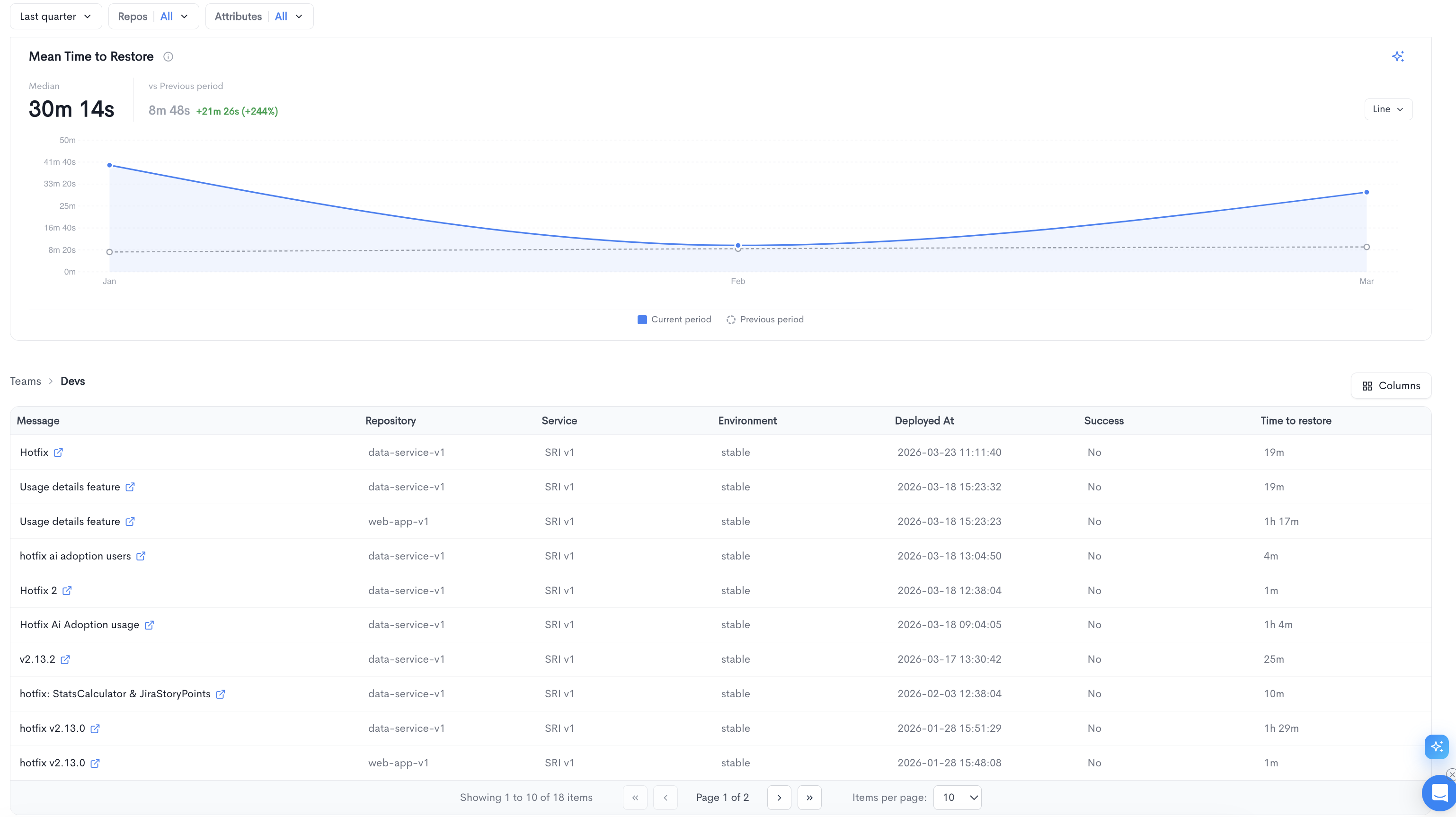
Clicking on a team's median MTTR value opens a drilldown view for that specific team. The drilldown shows a detailed list of all incidents that contributed to the MTTR calculation for the selected period.
The top of the drilldown displays the median MTTR for the selected team alongside a comparison to the previous period, along with a trend chart.
Below the chart, a paginated table lists all individual incidents with the following columns:
- Message - The deployment or incident message, linked to the source provider.
- Repository - The repository associated with the incident.
- Service - The service affected by the incident.
- Environment - The target environment (e.g. stable).
- Deployed At - The date and time the deployment was made.
- Success - Whether the deployment was successful.
- Time to restore - The time it took to restore service after the incident.
The table is paginated and shows 10 items per page by default. You can adjust the visible columns using the Columns button.
Updated 6 months ago