

Skills
Skills provide specialized instructions that Waydev agents can activate on demand. By uploading SKILL.md files, you give agents new capabilities and domain expertise. Skills is accessible under Settings in the left sidebar.
Skills list
The main page displays all existing skills. When no skills have been added yet, the page shows an empty state with an + Add Skill button and a prompt to upload a SKILL.md file.
To add a new skill, click + Add Skill in the top-right corner or from the empty state.
Adding a skill
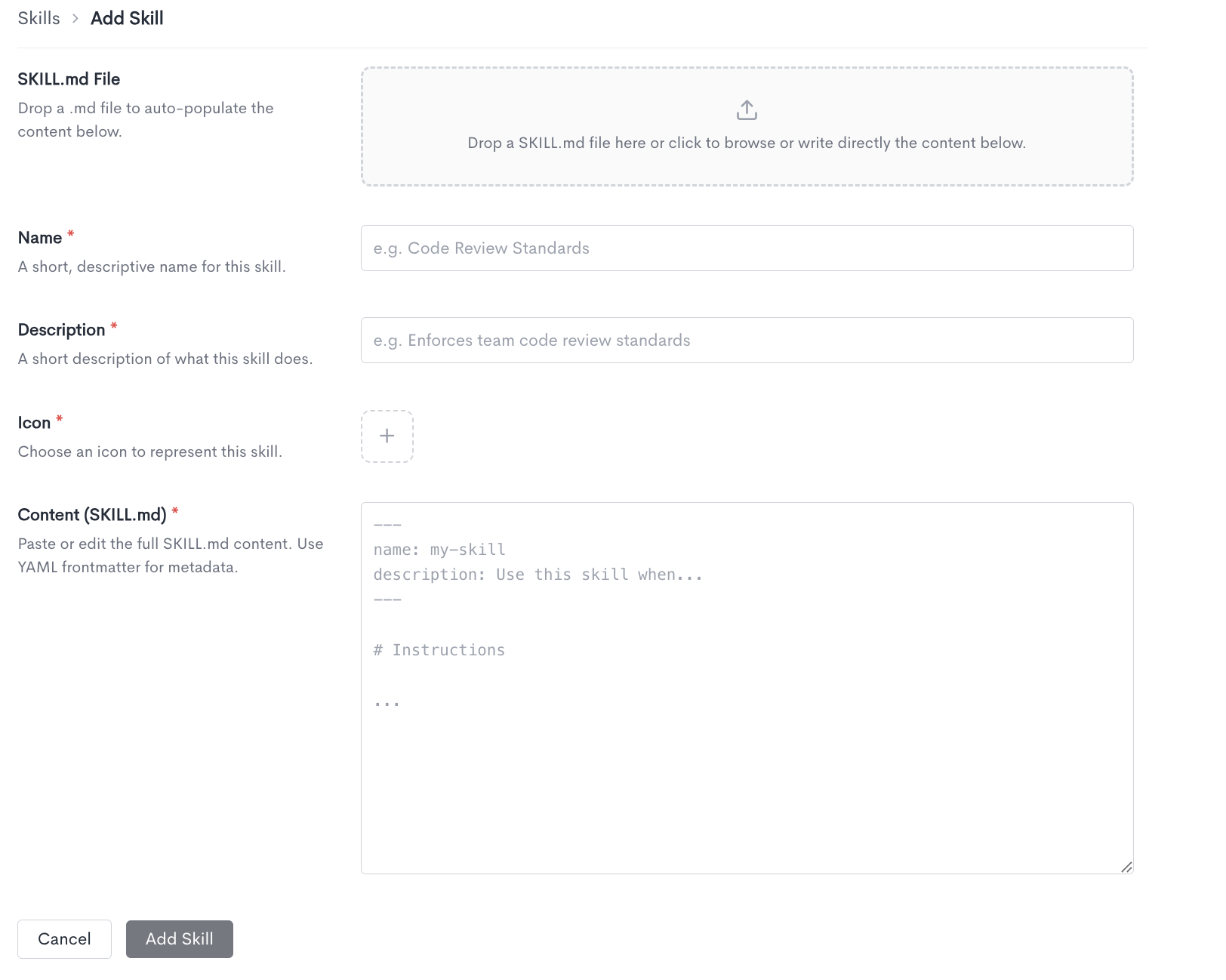
When creating a new skill, fill in the following fields:
- SKILL.md File - Drop a .md file into the upload area to auto-populate the content below, or click to browse for a file. You can also write the content directly in the Content field without uploading a file.
- Name - A short, descriptive name for this skill (e.g. Code Review Standards).
- Description - A short description of what the skill does.
- Icon - Choose an icon to represent this skill.
- Content (SKILL.md) - The full SKILL.md content. Use YAML frontmatter for metadata, including the skill name and description. Write the instructions in the body of the file below the frontmatter.
The content field uses the following structure:
---
name: my-skill
description: Use this skill when...
---

# Instructions

...
Click Add Skill to save. Click Cancel to discard and return to the Skills page.
Skills list
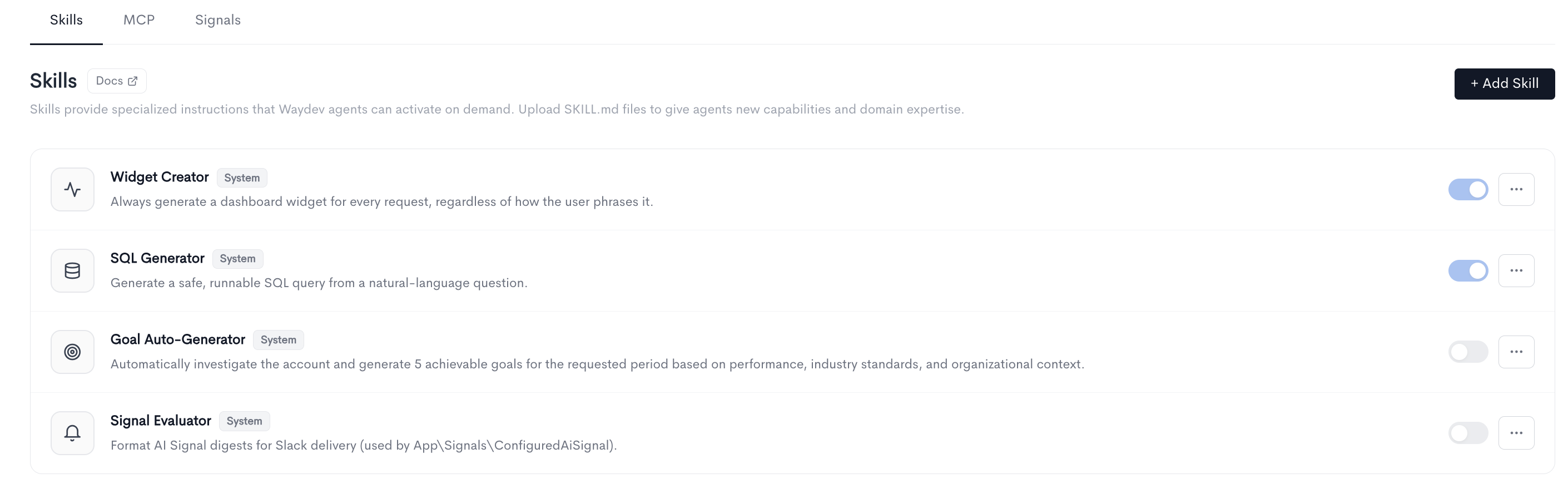
The main page displays all existing skills in a table. Each row shows the skill icon, name, type badge, and description, along with a toggle to enable or disable the skill and an actions menu (···) to edit or delete it.
Skills can be either System skills, provided by Waydev out of the box, or custom skills, created and uploaded by your team. System skills cover common use cases including:
-
Widget Creator — Always generate a dashboard widget for every request, regardless of how the user phrases it.
-
SQL Generator — Generate a safe, runnable SQL query from a natural-language question.
-
Goal Auto-Generator — Automatically investigate the account and generate 5 achievable goals for the requested period based on performance, industry standards, and organizational context.
-
Signal Evaluator — Format AI Signal digests for Slack delivery.
To edit a System created skill you can Duplicate it from the actions menu (···).
Updated about 1 month ago