

Azure Boards
How to add the Azure Boards integration.
Prerequisites
- A Personal Access Token with admin access. Learn how to generate it.
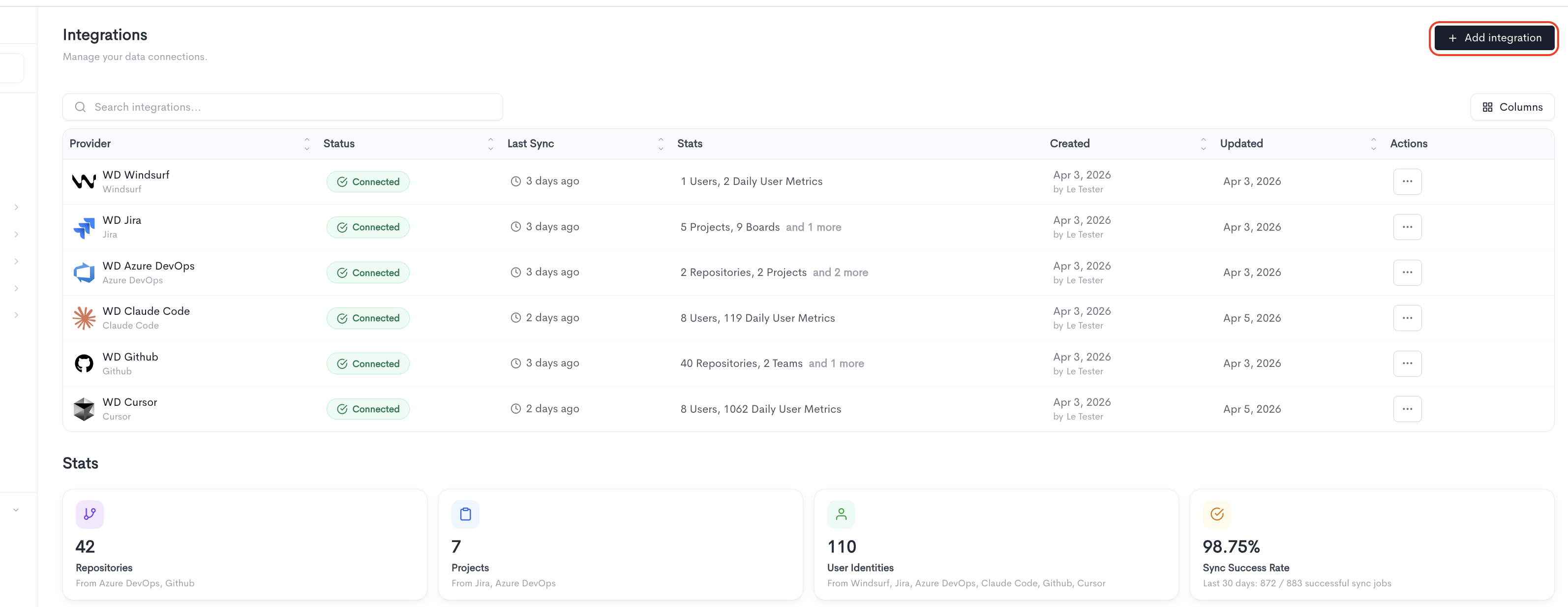
To add a new integration click on the + Add Integration button.
How to create the token
-
In Azure DevOps, click your avatar (top right) → Personal access tokens → New Token.
-
Pick Custom defined (not Full access).
-
Click Show all scopes at the bottom — some scopes are hidden by default.
-
Tick the scopes you need from the list below:
- Work Items (read)
- Build (read)
- Code (read)
- Graph (read)
- Identity (read)
- Project and Team (read)
- Release (read)
- Task Groups (read)
-
Set expiration, then Create, and copy the token immediately (it won't show again).
Adding the integration
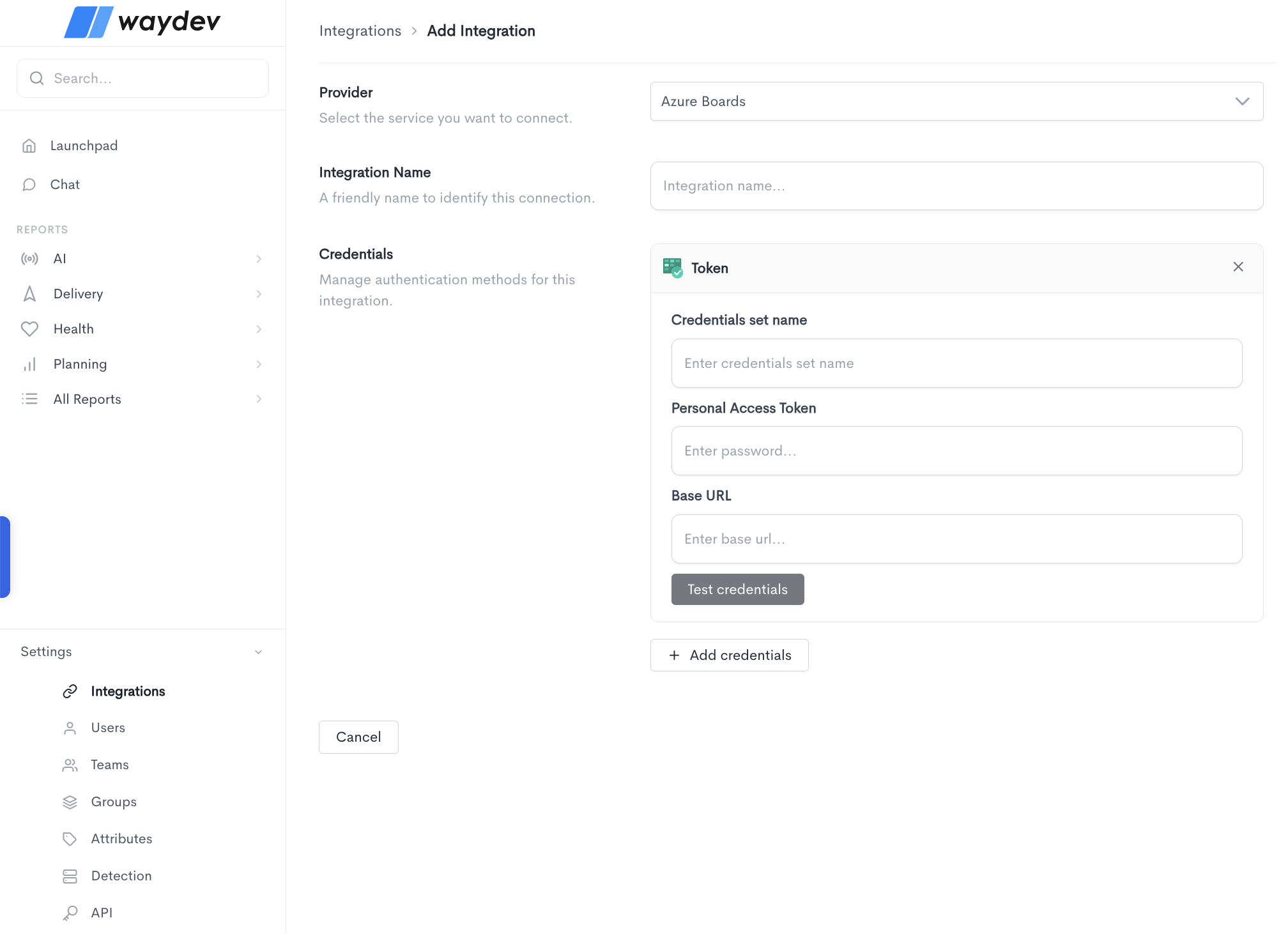
When adding a new integration, fill in the following fields:
- Provider — Select the service you want to connect from the dropdown (e.g. Azure Boards).
- Integration Name — A friendly name to identify this connection within Waydev.
- Credentials — The authentication method used to connect to the provider. Depending on the provider, the credential form will ask for different fields. For Azure Boards, the Token method requires:
- Credentials set name — A label to identify this set of credentials.
- Personal Access Token — The personal access token generated from your Azure Boards account.
- Base URL — The base URL of your Azure Boards instance (e.g.
https://dev.azure.com/yourorganization).
Click Test credentials to verify that Waydev can successfully connect using the provided details. You can add multiple credential sets using the + Add credentials button. Click Cancel to discard the integration setup and return to the Integrations list.
Updated 10 days ago