

GitHub Copilot
How to add the GitHub Copilot integration.
Prerequisites
The API is limited to organization, enterprise, or team contexts. It does not provide per-user data for usage.For team-level data: the team must have at least five members with active Copilot licenses on that day — otherwise, no metrics for that day are returned.
The metrics only cover usage via supported IDEs (with telemetry enabled). Other surfaces like Copilot Chat, Copilot CLI, mobile, etc., are not necessarily included in these usage metrics.
For more details, you can check the REST API endpoints for Copilot metrics documentation.
To integrate with GitHub Copilot and track AI adoption in your organization, follow these steps:
- Generate a GitHub Token
First, generate a personal access token from your GitHub account with the read:org scope.
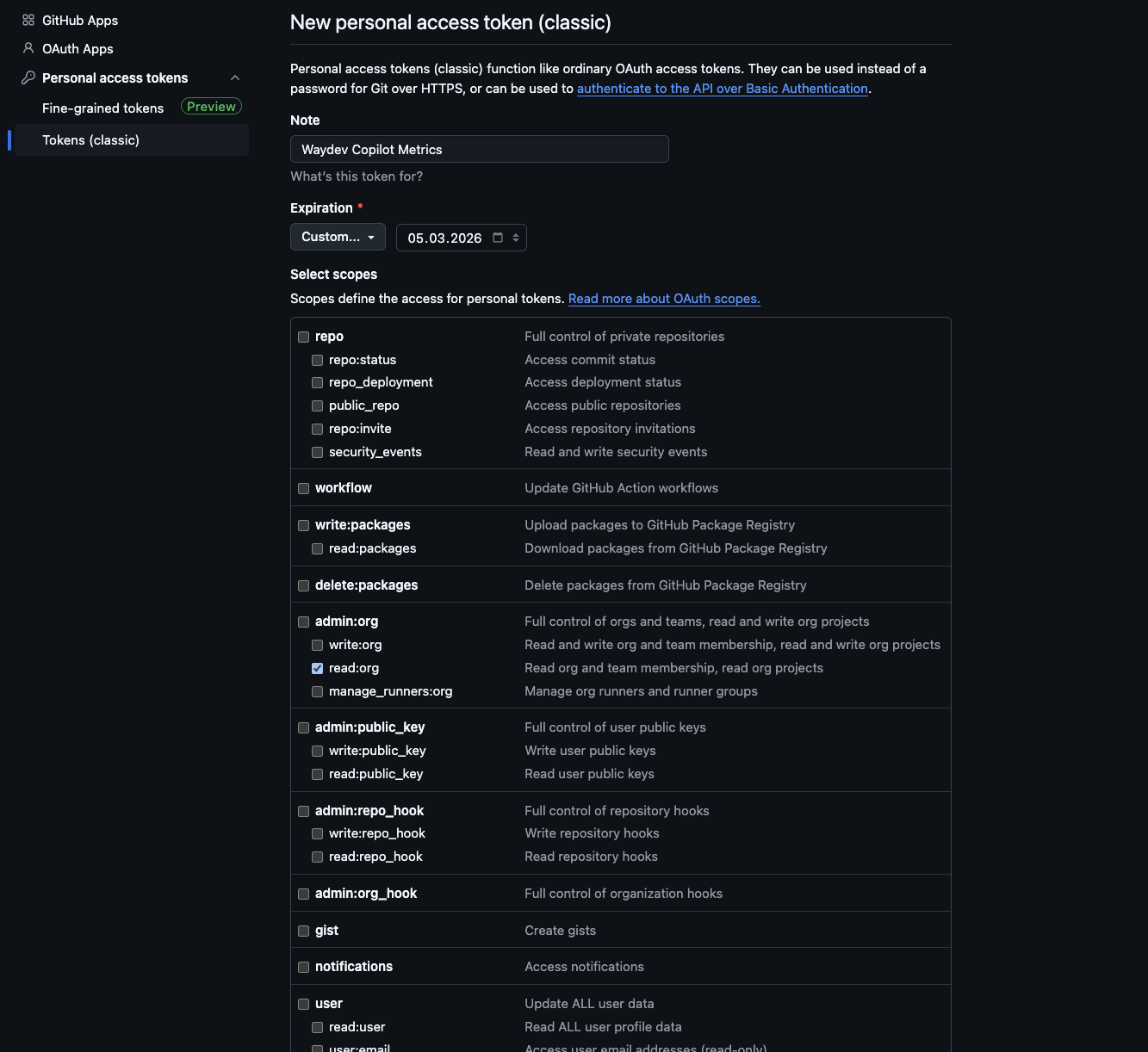
Requirements:
- You must be an organization owner/admin.
- Your organization must have at least 5 active GitHub Copilot licenses.
- The Copilot API Metrics policy must be enabled. Learn how to enable it here.
To add a new integration click on the + Add Integration button.
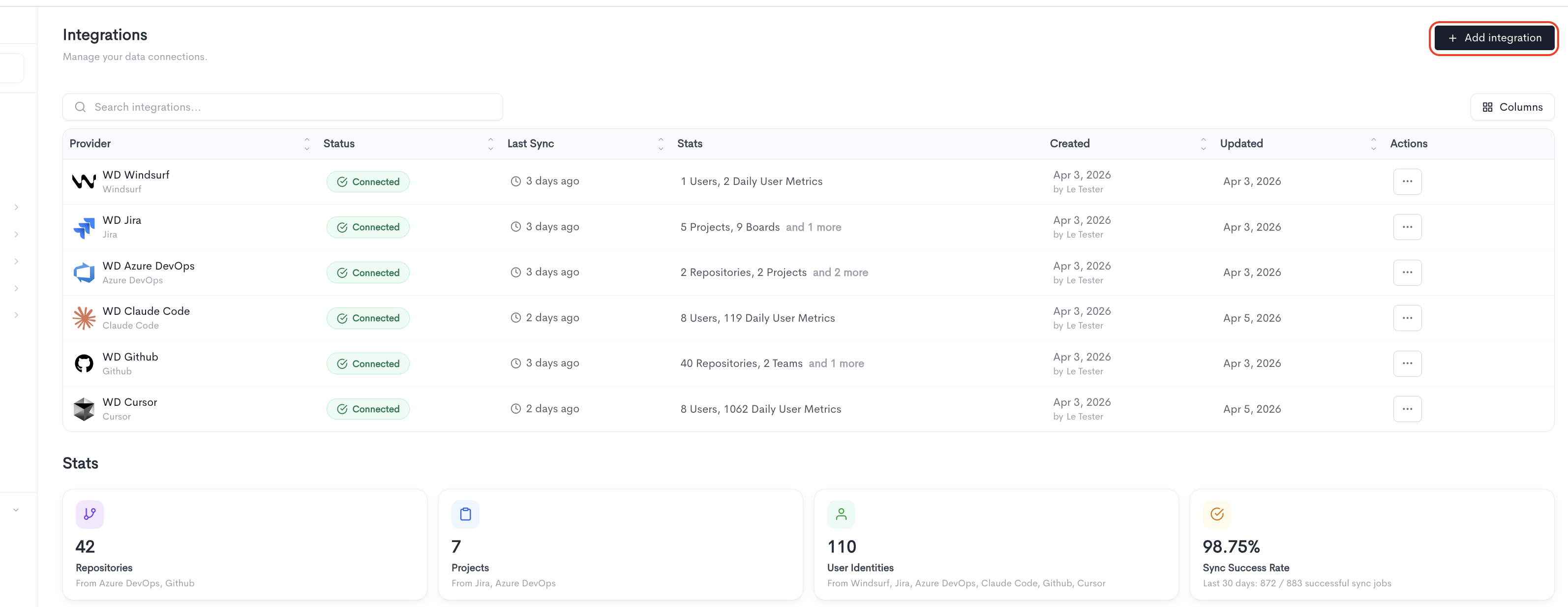
Adding the integration
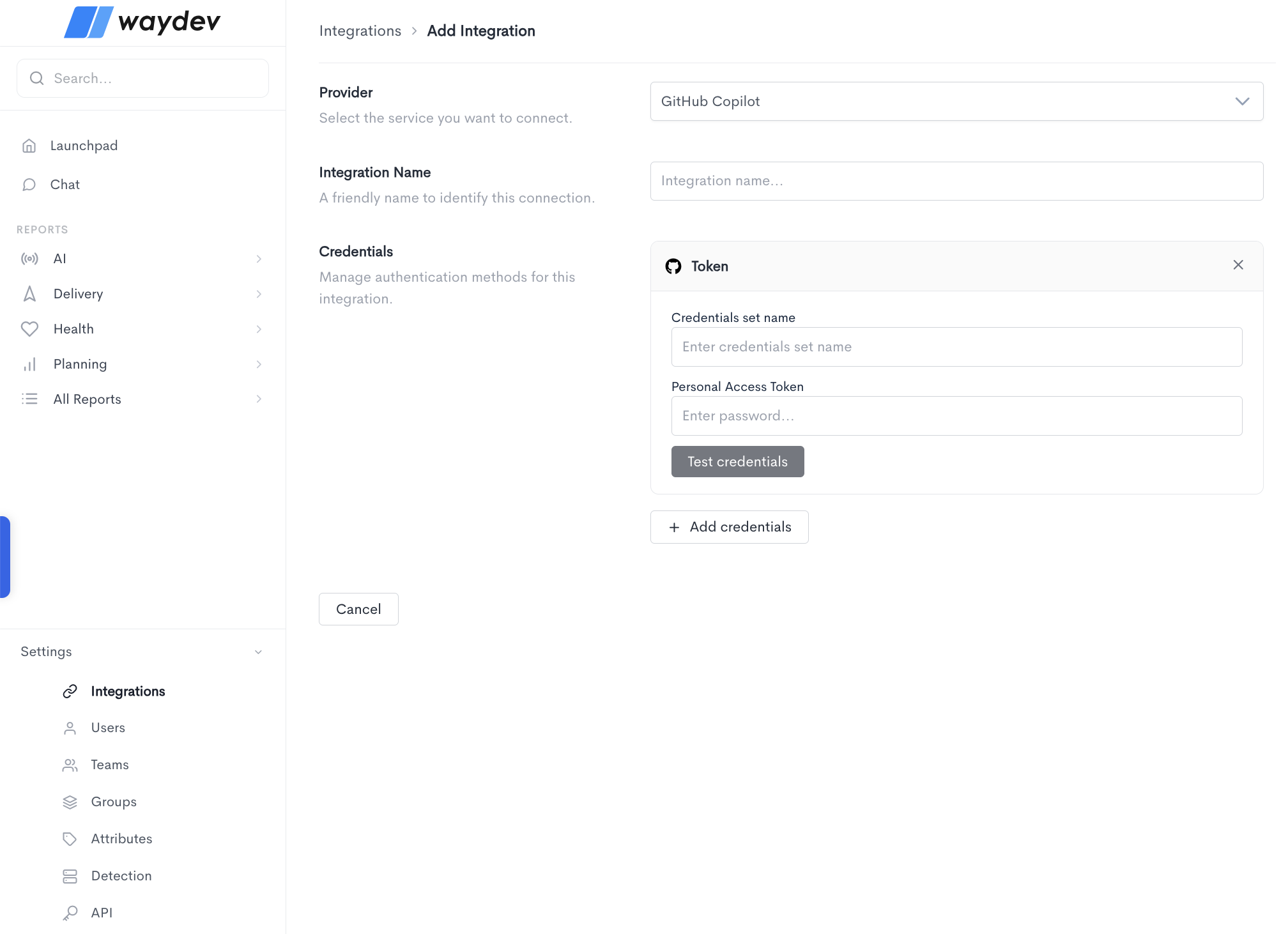
When adding a GitHub Copilot integration, fill in the following fields:
- Provider — Select GitHub Copilot from the dropdown.
- Integration Name — A friendly name to identify this connection within Waydev.
- Credentials — GitHub Copilot uses the Token authentication method, which requires:
- Credentials set name — A label to identify this set of credentials.
- Personal Access Token — The personal access token generated from your GitHub account with Copilot access enabled.
Click Test credentials to verify that Waydev can successfully connect using the provided details. You can add multiple credential sets using the + Add credentials button. Click Cancel to discard the integration setup and return to the Integrations list.
Updated 24 days ago