

API Docs
The API Docs tab provides interactive reference documentation for the WayDev Client API. Every endpoint is listed with its description, parameters, response codes, and a Try it out control that sends a live request against your own account.
Click Download OpenAPI JSON Specs File at the top of the page to download the full specification for use in client generators, Postman, or other tooling.
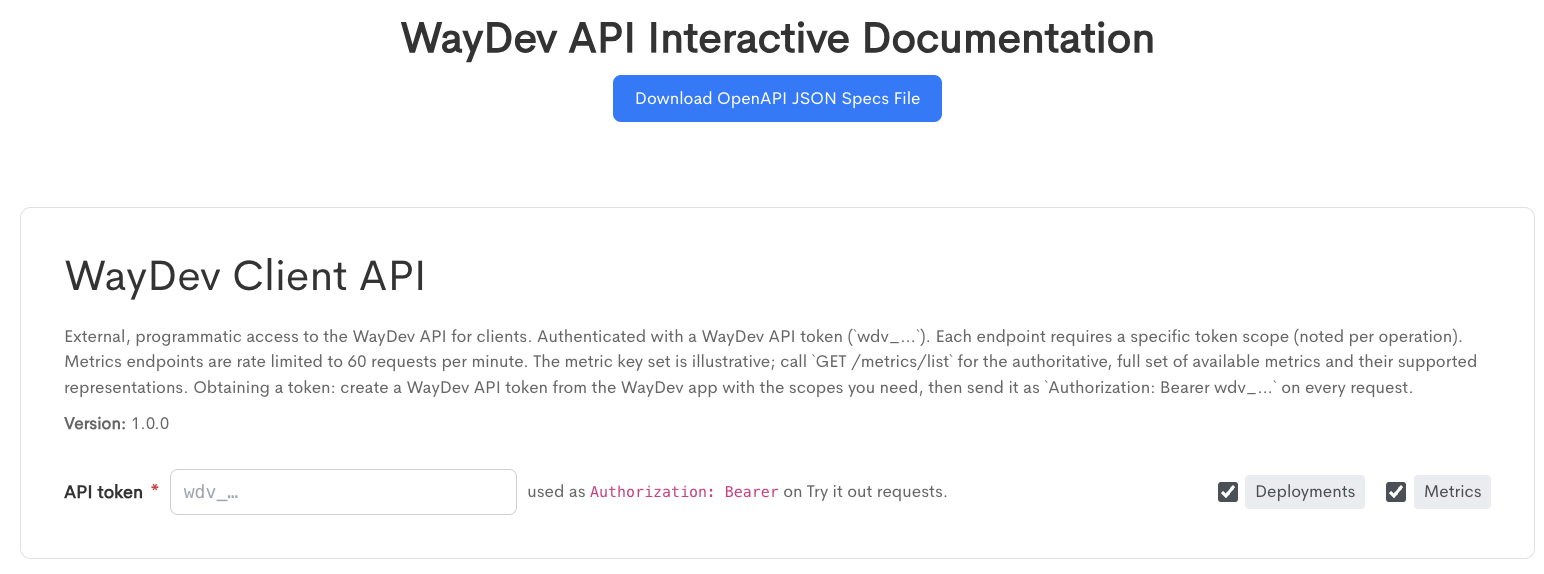
The WayDev Client API card at the top of the page describes the API and its authentication model. The API version is displayed below the description.
Authenticating requests
- API token - The token used to authorize requests sent from this page. Tokens are prefixed with
wdv_. The value entered here is sent as anAuthorization: Bearerheader on every Try it out request.
Tokens are created in the API tab, where you select the scopes the token should carry. A token only grants access to endpoints covered by its scopes, so create the token with the scopes for the endpoints you intend to call.
The token field applies to the page as a whole. Entering it once authorizes every Try it out control on the page.
Filtering the endpoint list
The checkboxes to the right of the token field correspond to the endpoint groups available in the API, currently Deployments and Metrics. Both are selected by default. Clearing a checkbox hides that group's endpoints from the page.
Reading an endpoint
Each endpoint is presented in its own card containing the following:
- Method - The HTTP method, color coded by type.
- Summary - A short description of what the endpoint does.
- Group - The endpoint group, shown on the right of the card header.
- Description - A fuller explanation of the endpoint's behavior, including the token scopes it requires.
- Parameters or Request Body - The inputs the endpoint accepts. Path and query parameters are shown as individual fields, each with its location, an example value, and a description. Required parameters are marked with an asterisk.
- Responses - Every response code the endpoint can return, with the meaning of each.
- URL - The request path. For endpoints with a path parameter, this field updates as you fill the parameter in.
Trying a request
Fill in the required parameters, then click Try it out to send the request using the token entered at the top of the page. The Try it out button is disabled until the required inputs are supplied.
Requests sent from this page run against live data in your account. POST endpoints will create real records, so use them with care.
Token scopes
Each endpoint requires the calling token to carry a specific scope. The scopes referenced by the current endpoint set are:
- Deployments/Incidents - Required to record deployments and incident windows.
- Stats - Required to list metrics and retrieve metric data.
- Admin - Satisfies the requirement for any endpoint in place of the specific scope.
A request made with a valid token that lacks the required scope returns 403 rather than 401.
Rate limits
Metrics endpoints are limited to 60 requests per minute. Exceeding the limit returns 429.
Deployments
Create a deployment
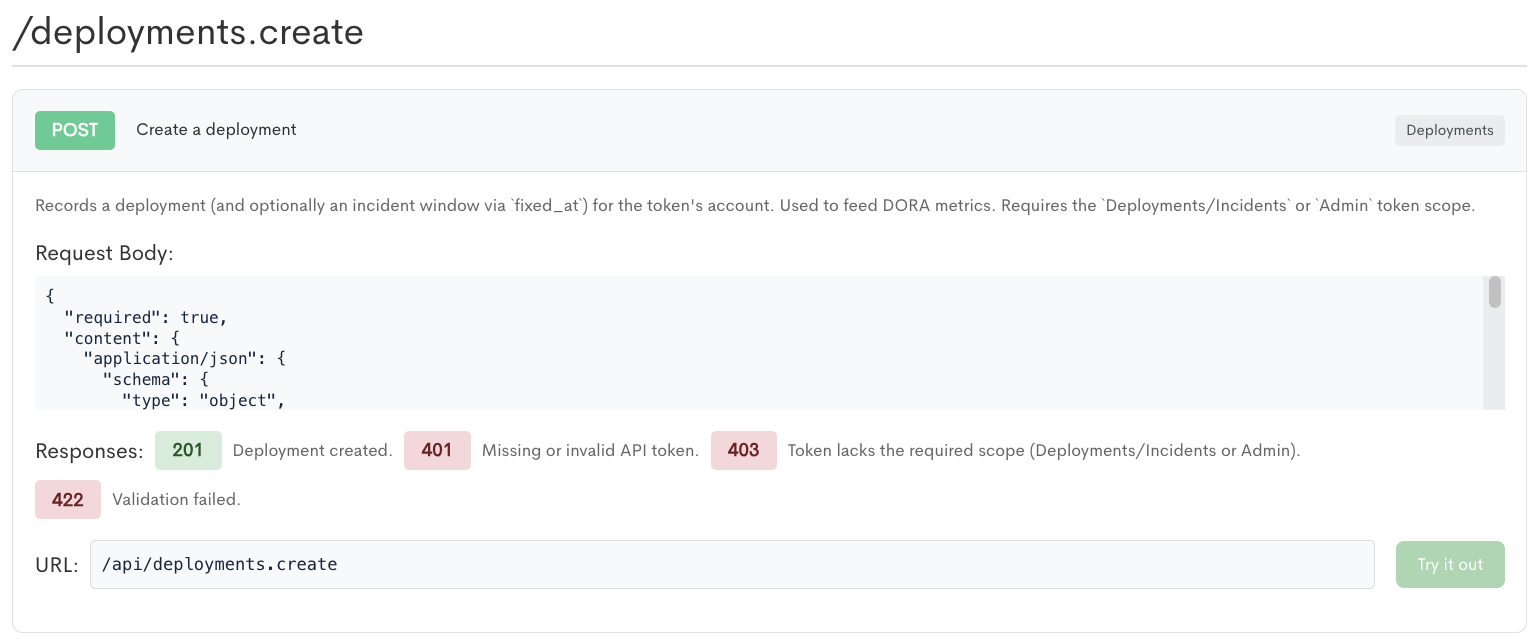
POST /api/deployments.create
Records a deployment for the account the token belongs to, optionally including an incident window via fixed_at. Deployments recorded through this endpoint feed the DORA metrics.
Requires the Deployments/Incidents or Admin scope.
The request body is a JSON object, displayed on the page as its raw JSON schema.
Responses:
-
201 - Deployment created.
-
401 - Missing or invalid API token.
-
403 - Token lacks the required scope.
-
422 - Validation failed.
Metrics
List available metrics
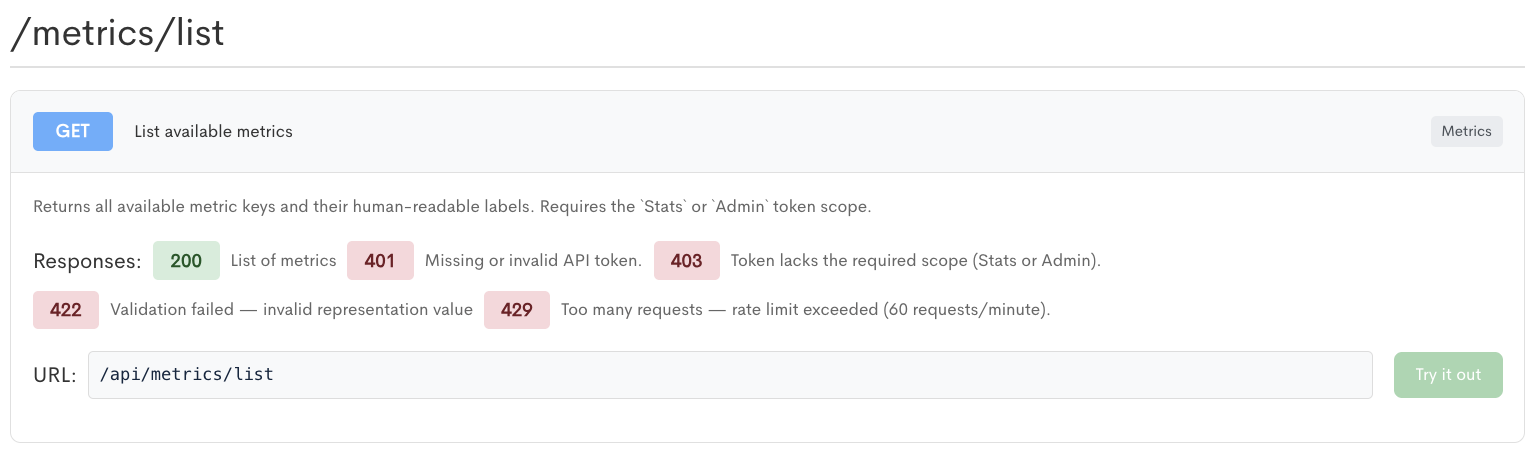
GET /api/metrics/list
Returns every available metric key alongside its human-readable label. Use this endpoint to discover valid values for the metric path parameter, since the metric keys shown in the examples elsewhere in the documentation are illustrative rather than exhaustive.
Requires the Stats or Admin scope.
Responses:
-
200 - List of metrics.
-
401 - Missing or invalid API token.
-
403 - Token lacks the required scope.
-
422 - Validation failed.
-
429 - Rate limit exceeded.
Get metric data
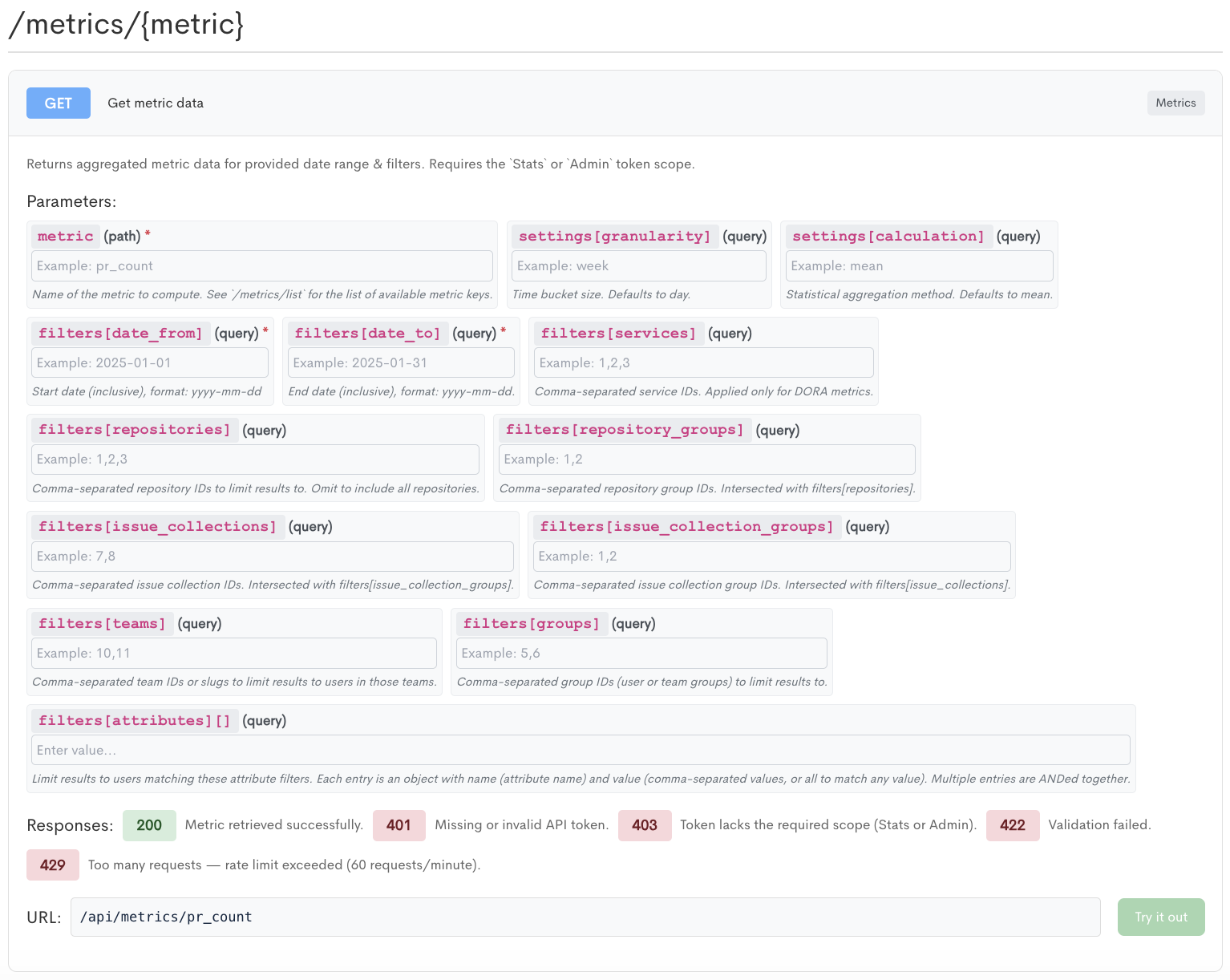
GET /api/metrics/{metric}
Returns aggregated data for a single metric over a date range, with optional filters to narrow the population the metric is calculated across.
Requires the Stats or Admin scope.
The following parameters are available:
metric- Path parameter. The key of the metric to compute, for examplepr_count. Call/metrics/listfor the full set of valid keys. Required.filters[date_from]- The start of the reporting period, inclusive, inyyyy-mm-ddformat. Required.filters[date_to]- The end of the reporting period, inclusive, inyyyy-mm-ddformat. Required.settings[granularity]- The time bucket the results are grouped into, for exampleweek. Defaults today.settings[calculation]- The statistical aggregation applied to the metric, for examplemean. Defaults tomean.filters[services]- Comma-separated service IDs. Applied only to DORA metrics and ignored for others.filters[repositories]- Comma-separated repository IDs to limit the result to. Omit to include all repositories.filters[repository_groups]- Comma-separated repository group IDs. Intersected withfilters[repositories]when both are supplied.filters[issue_collections]- Comma-separated issue collection IDs. Intersected withfilters[issue_collection_groups]when both are supplied.filters[issue_collection_groups]- Comma-separated issue collection group IDs. Intersected withfilters[issue_collections]when both are supplied.filters[teams]- Comma-separated team IDs or slugs. Limits the result to users belonging to those teams.filters[groups]- Comma-separated group IDs, covering both user groups and team groups.filters[attributes][]- Limits the result to users matching a set of attribute filters. Each entry is an object with anameholding the attribute name and avalueholding either comma-separated values orallto match any value. Multiple entries are combined withAND.
Responses:
-
200 - Metric retrieved successfully.
-
401 - Missing or invalid API token.
-
403 - Token lacks the required scope.
-
422 - Validation failed.
-
429 - Rate limit exceeded.
Updated about 2 months ago