
Azure Boards
How to add the Azure Boards integration.
Prerequisites
- A Personal Access Token with admin access. Learn how to generate it.
To add a new integration click on the + Add Integration button.
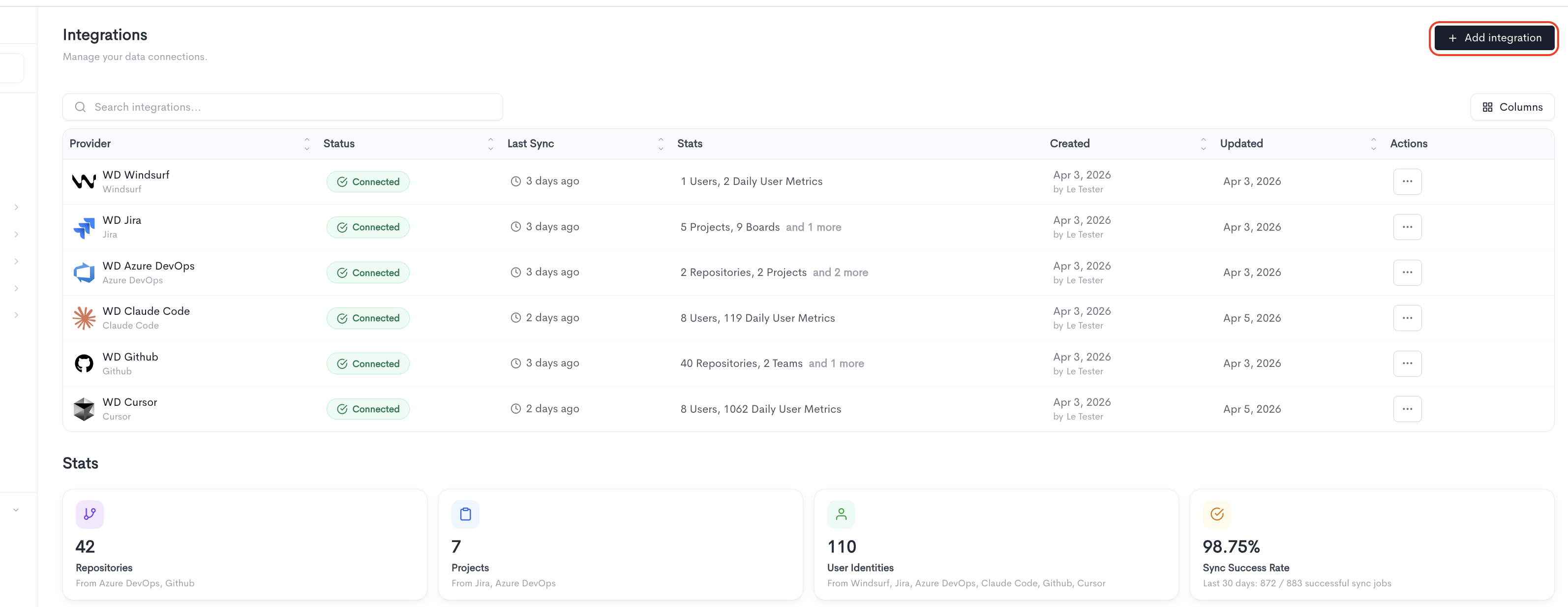
Adding the integration
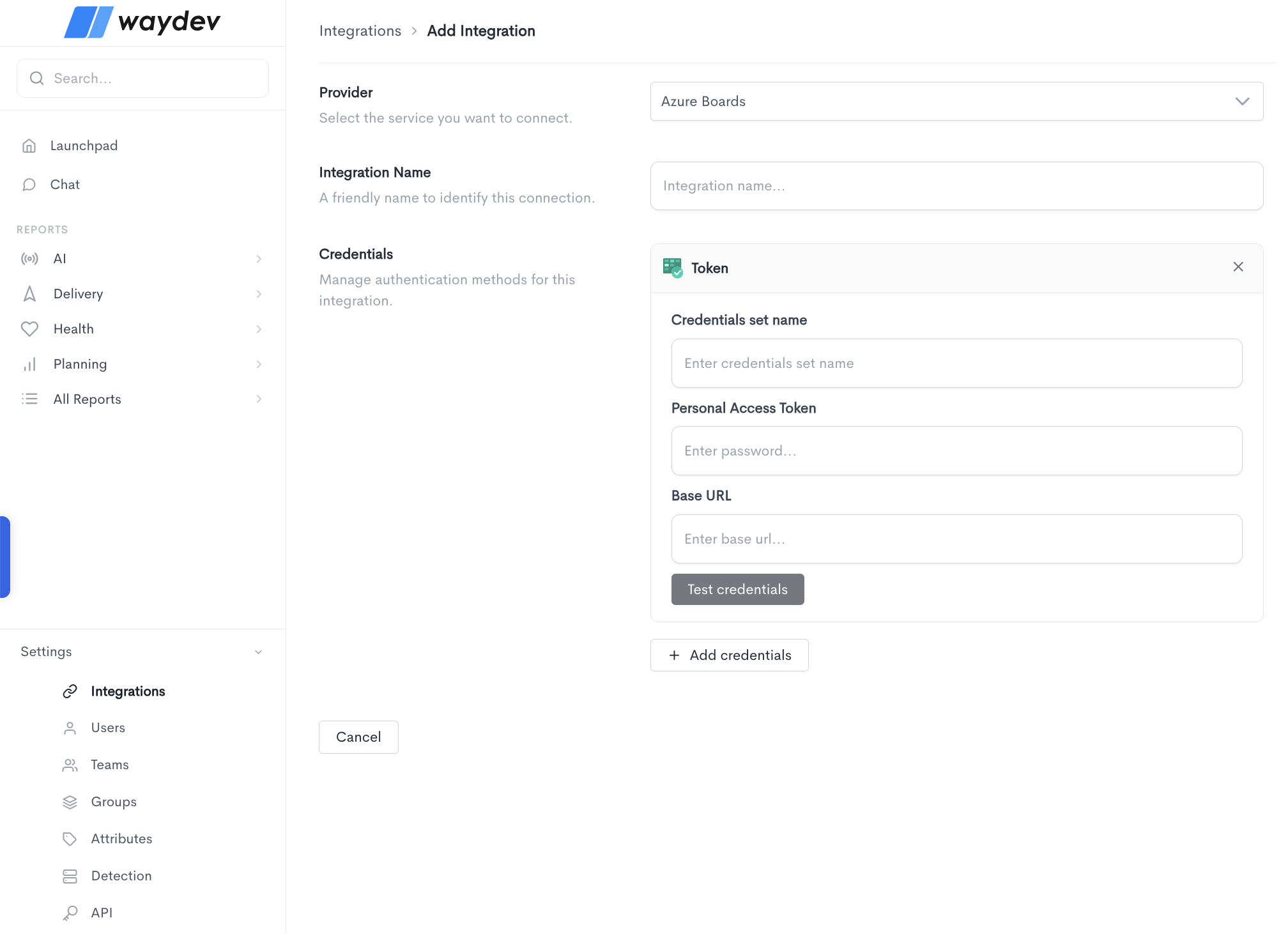
When adding a new integration, fill in the following fields:
- Provider — Select the service you want to connect from the dropdown (e.g. Azure Boards).
- Integration Name — A friendly name to identify this connection within Waydev.
- Credentials — The authentication method used to connect to the provider. Depending on the provider, the credential form will ask for different fields. For Azure Boards, the Token method requires:
- Credentials set name — A label to identify this set of credentials.
- Personal Access Token — The personal access token generated from your Azure Boards account.
- Base URL — The base URL of your Azure Boards instance (e.g.
https://dev.azure.com/yourorganization).
Click Test credentials to verify that Waydev can successfully connect using the provided details. You can add multiple credential sets using the + Add credentials button. Click Cancel to discard the integration setup and return to the Integrations list.
Updated 28 days ago