

Bitbucket
- A Workspace Token or an Atlassian API Token with the necessary access.
To add a new integration click on the + Add Integration button.
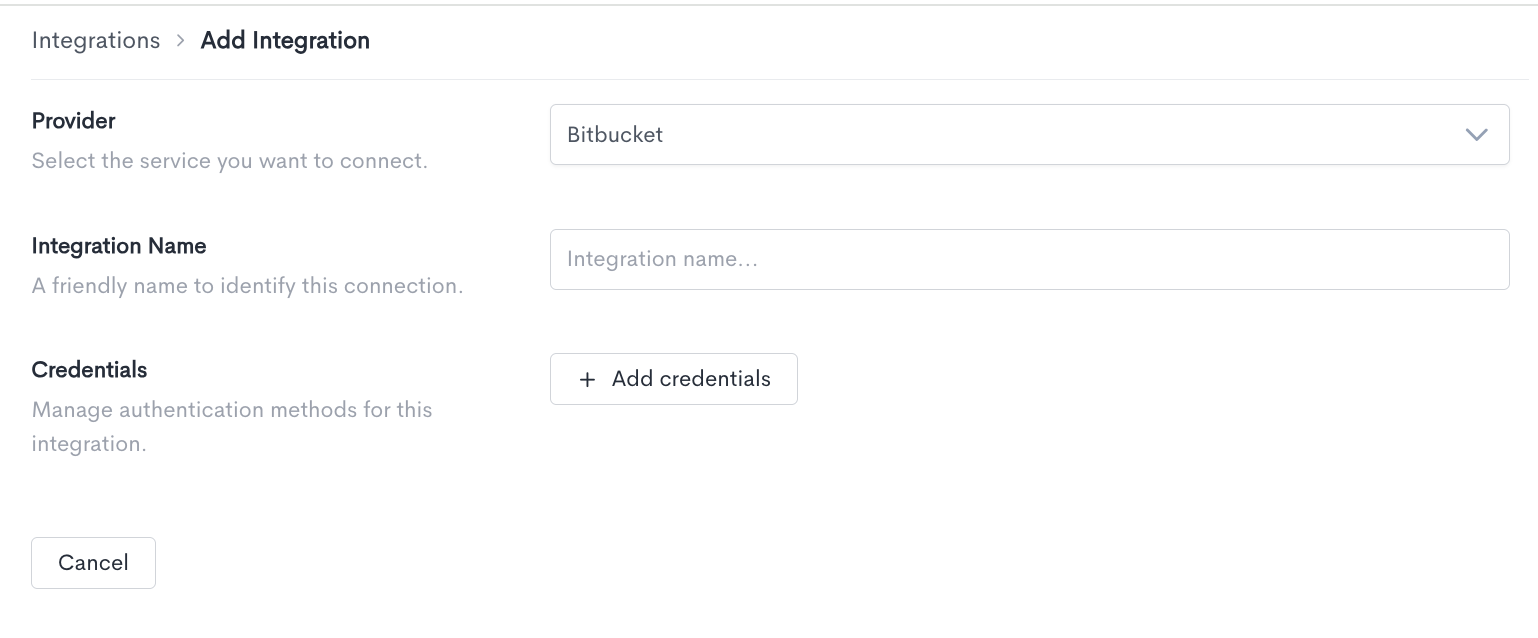
When adding a Bitbucket integration, fill in the following fields:
-
Provider — Select Bitbucket from the dropdown.
-
Integration Name — A friendly name to identify this connection within Waydev.
-
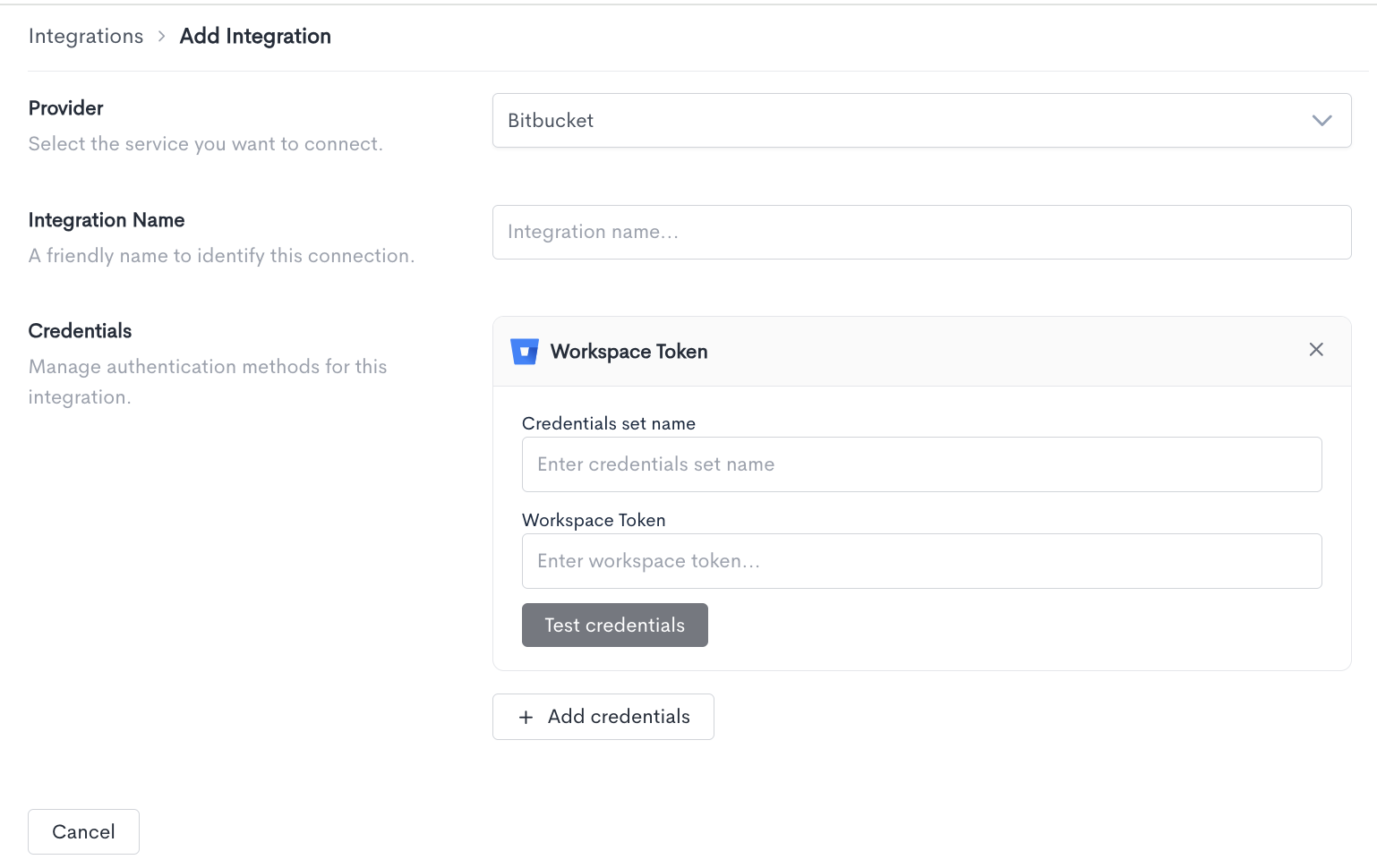
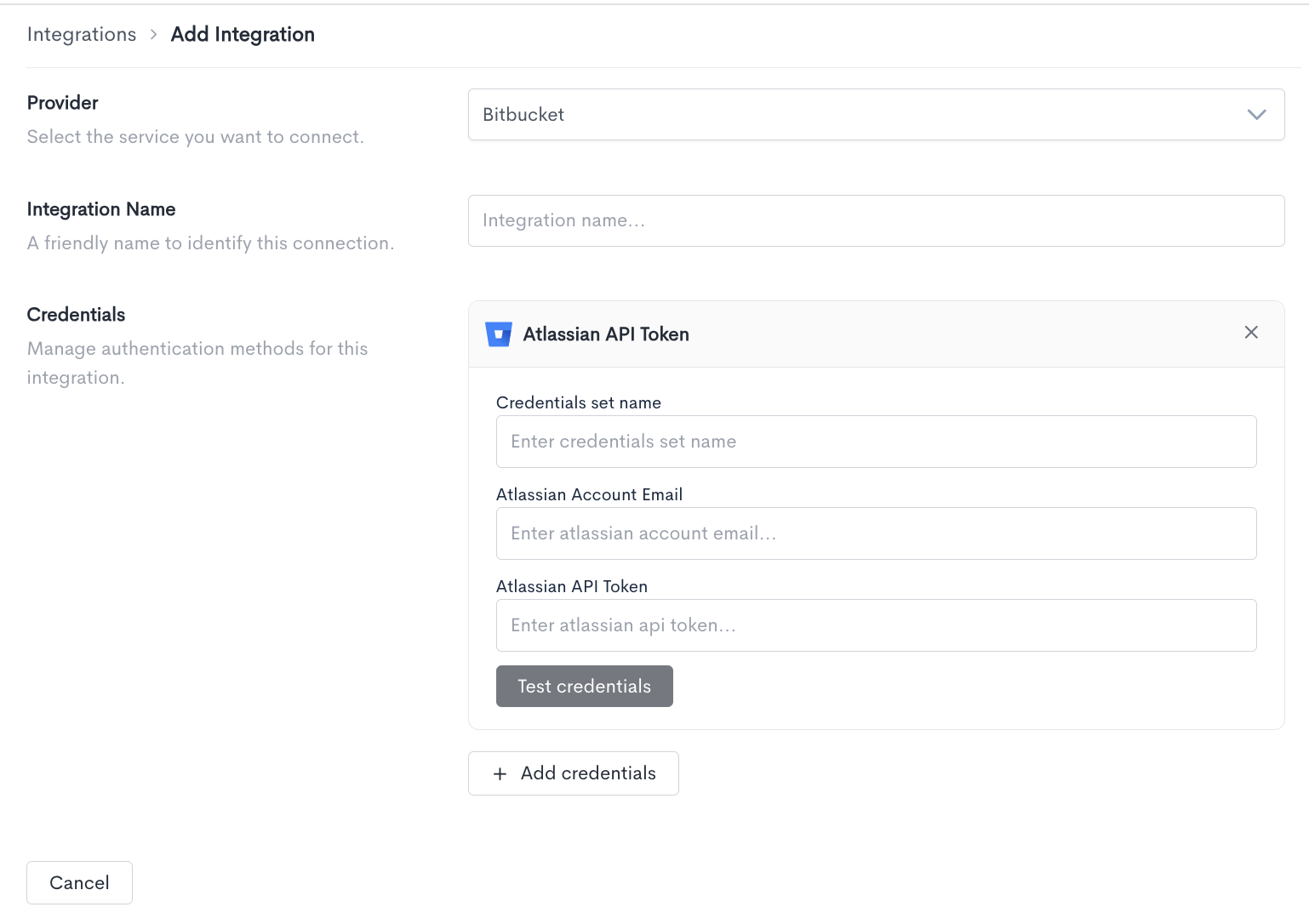
Credentials — Bitbucket supports two authentication methods. Click + Add credentials and select one.
-
Credentials set name — A label to identify this set of credentials.
-
Workspace Token — The workspace token generated from your Bitbucket account.
- Credentials set name — A label to identify this set of credentials.
- Atlassian Account Email — The email address associated with your Atlassian account.
- Atlassian API Token — The API token generated from your Atlassian account.
Click Test credentials to verify that Waydev can successfully connect using the provided details. You can add multiple credential sets using the + Add credentials button. Click Cancel to discard the integration setup and return to the Integrations list.
Updated about 2 months ago