

Claude Code
How to add the Claude Code integration.
Prerequisites
- An Admin API key. Learn how to generate it.
To add a new integration click on the + Add Integration button.
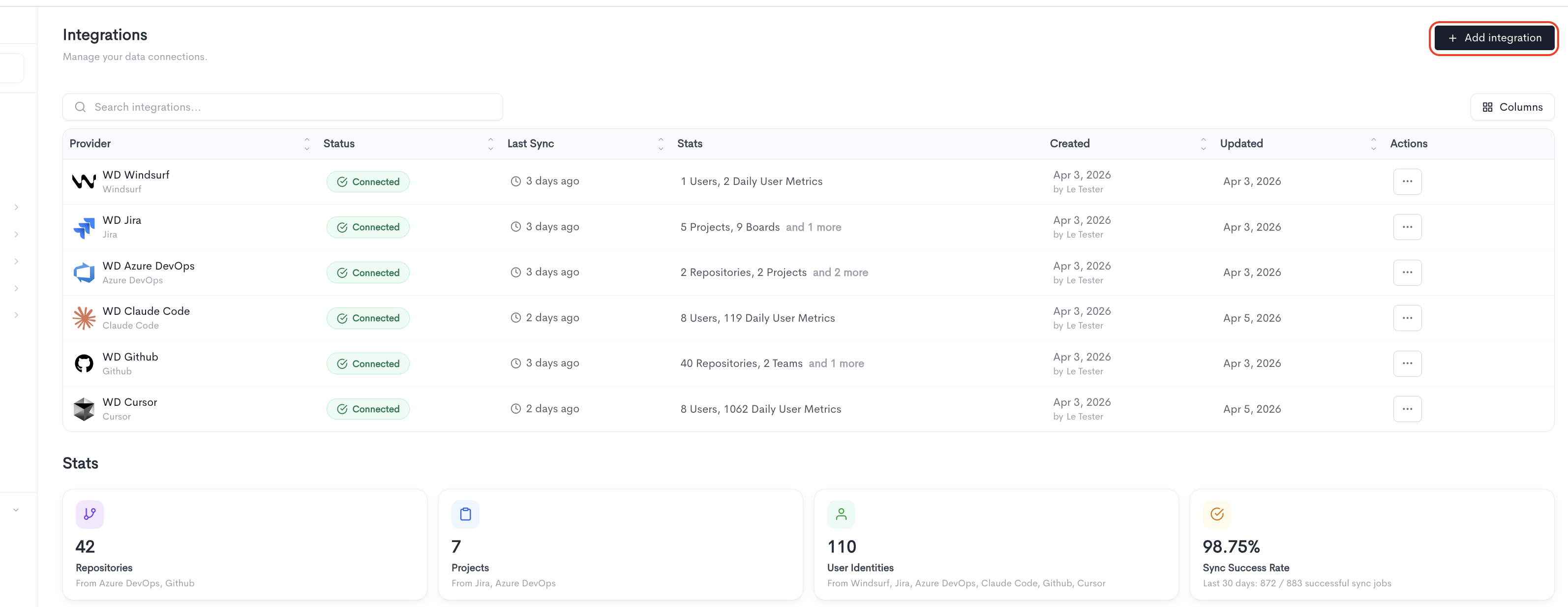
Adding the integration
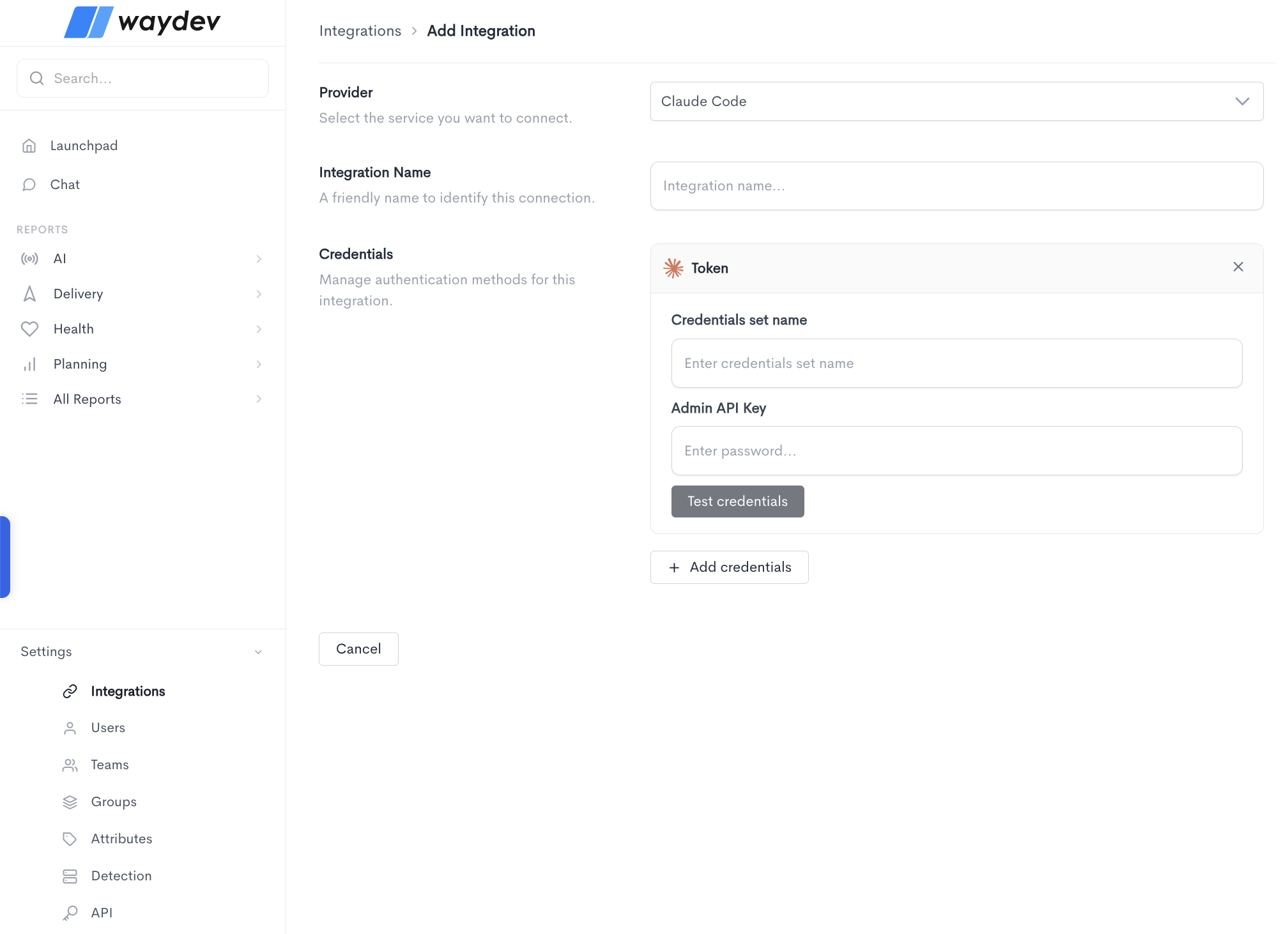
When adding a Claude Code integration, fill in the following fields:
- Provider — Select Claude Code from the dropdown.
- Integration Name — A friendly name to identify this connection within Waydev.
- Credentials — Claude Code uses the Token authentication method, which requires:
- Credentials set name — A label to identify this set of credentials.
- Admin API Key — The admin API key generated from your Claude Code account.
Click Test credentials to verify that Waydev can successfully connect using the provided details. You can add multiple credential sets using the + Add credentials button. Click Cancel to discard the integration setup and return to the Integrations list.
Claude Code Ingest Token
The Claude Code Ingest Token enables Waydev to receive usage data from Claude Code via OpenTelemetry (OTel). This is what powers token-level metrics, model usage, and cost tracking in Waydev's AI reports.
Click Confirm to generate the token. Once generated, a dialog appears with three options for applying the configuration to your developer environment. Copy and apply one of the following before closing the dialog — the token will not be shown again.
- Managed settings - Save or merge the provided JSON into
~/.claude/settings.json. This is the recommended approach for administrator-managed rollouts, as the settings file can be distributed via MDM or other device management tooling. - Shell exports - Copy the individual environment variable exports and add them to your shell profile.
- Token only - Copy the raw token value if you prefer to configure the environment variables manually.
The generated configuration sets the following environment variables:
CLAUDE_CODE_ENABLE_TELEMETRY- Enables telemetry collection in Claude Code.OTEL_METRICS_EXPORTER- Sets the exporter to OTLP.OTEL_EXPORTER_OTLP_PROTOCOL- Sets the protocol tohttp/json.OTEL_EXPORTER_OTLP_ENDPOINT- Points to the Waydev ingest endpoint.OTEL_EXPORTER_OTLP_HEADERS- Passes the generated bearer token for authentication.OTEL_EXPORTER_OTLP_METRICS_TEMPORALITY_PREFERENCE- Sets temporality todelta.OTEL_RESOURCE_ATTRIBUTES- Attaches the user's email to the telemetry data for identity attribution.
You can add multiple credential sets using the + Add credentials button. Click Cancel to discard the integration setup and return to the Integrations list.
Important mentions
- The JSON must be copied on each developer's instance.
- Make sure each developer has their correct USER_EMAIL in set, this is how their activity gets attributed in the dashboard.
- The token is shown only once, so copy it before closing the modal. If you lose it, you'll need to delete and re-add the integration.
The OpenCode ingest rate limit is 6 requests per 60 seconds, scoped per integration + user identity.
The export interval is controlled by these settings in your settings.local.json file:
Variable What it controls Default Recommended OTEL_METRIC_EXPORT_INTERVAL Milliseconds between metric exports 60000 (60s) 600000 (10m) OTEL_LOGS_EXPORT_INTERVAL (usually not needed) Milliseconds between log/event exports 5000 (5s) 60000 (1m)
About OpenTelemetry for Claude Code
Claude Code exports usage data — including token consumption, cost, model activity, session counts, and code edits — as time series metrics via the OpenTelemetry (OTel) standard. Waydev ingests this data through the OTLP endpoint configured by the Ingest Token, making it available across AI reports without requiring any manual data entry or additional integrations.
For full details on what Claude Code exports and how to configure advanced options such as log exporters, distributed traces, and multi-team segmentation, see the Claude Code monitoring documentation.
Updated about 1 month ago