

GitHub
How to add the GitHub integration.
Prerequisites
- A Personal Access token. Learn how to create it below:
If your Github organization uses SAML single sign-on, you will have to authorize your PAT in order to access internal resources. You can learn how to do this here.‼️ You must perform this action every time you generate a new token or re-generate an expired one.
Steps 1-5
- Step 1: Select the Access Token authentication method.
- Step 2: Navigate to Github.
- Step 3: In the upper-right corner of any page, click your profile photo, then click Settings.
- Step 4: In the left sidebar, click Developer settings.
- Step 5: In the left sidebar, click Personal access tokens.
Step 6
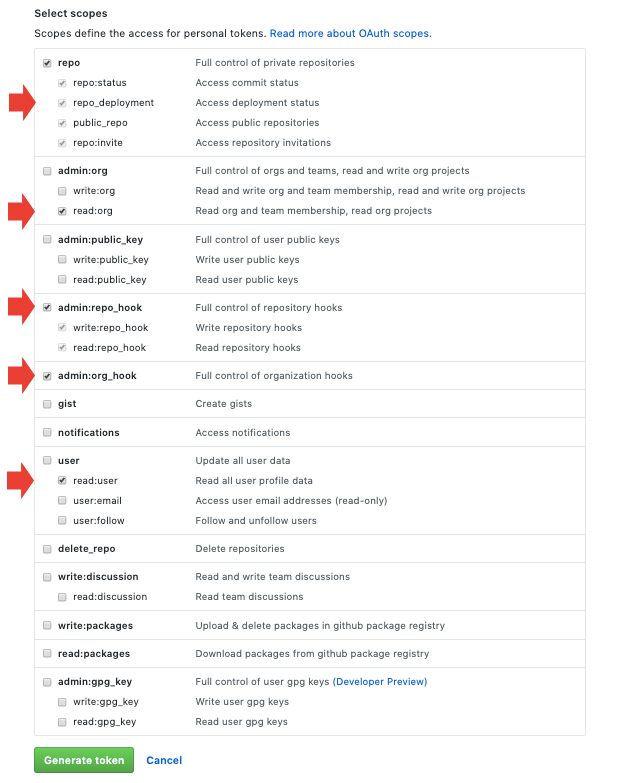
Click Generate new token. Select the scopes or permissions, you'd like to grant this token. To use your token to access repositories from the command line, select repo.
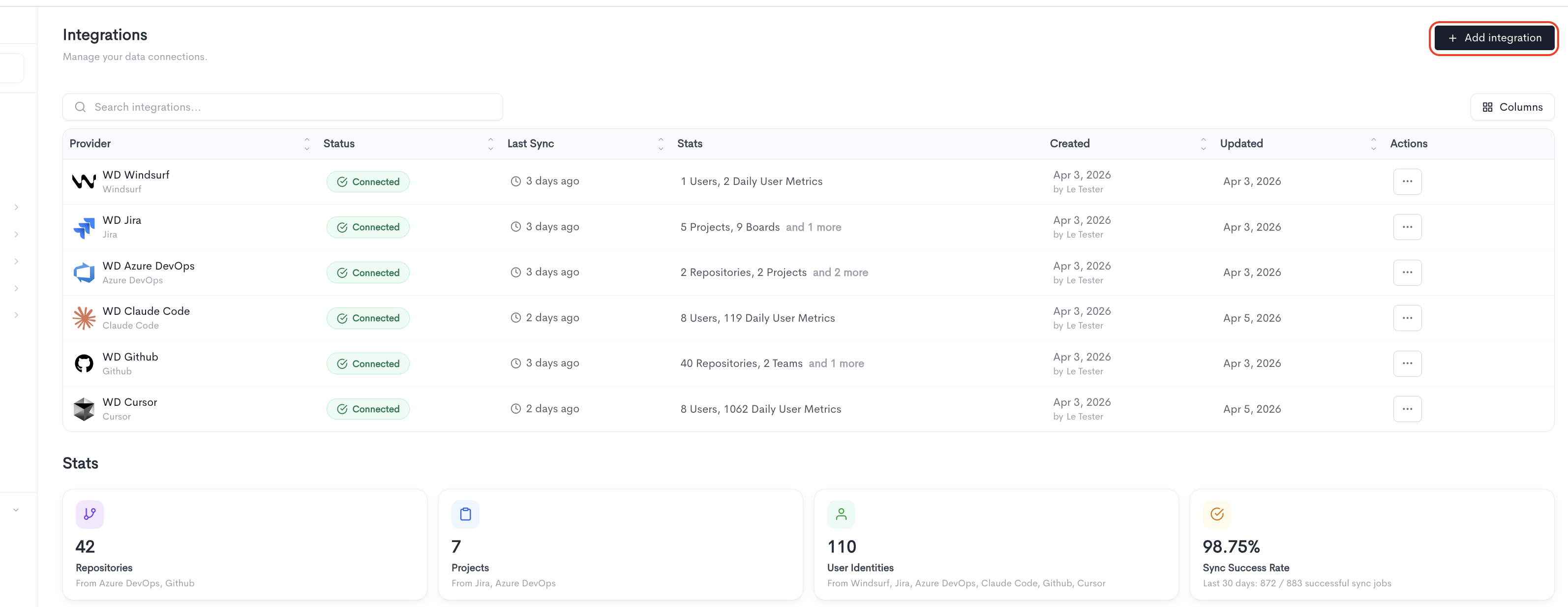
To add a new integration click on the + Add Integration button.
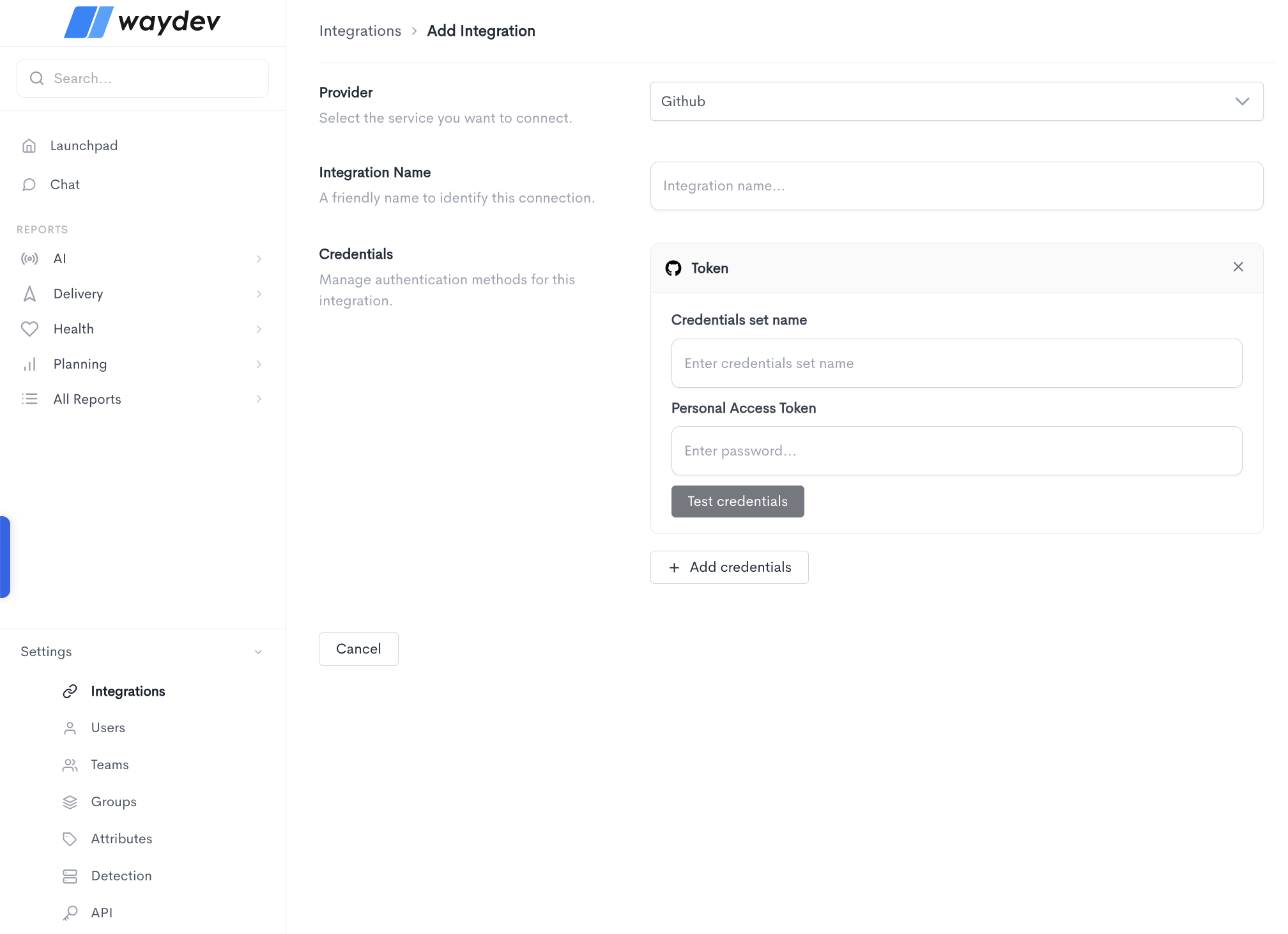
Adding the integration
When adding a GitHub integration, fill in the following fields:
- Provider — Select GitHub from the dropdown.
- Integration Name — A friendly name to identify this connection within Waydev.
- Credentials — GitHub uses the Token authentication method, which requires:
- Credentials set name — A label to identify this set of credentials.
- Personal Access Token — The personal access token generated from your GitHub account.
Click Test credentials to verify that Waydev can successfully connect using the provided details. You can add multiple credential sets using the + Add credentials button. Click Cancel to discard the integration setup and return to the Integrations list.
Updated about 2 months ago