

Azure DevOps
How to add the Azure DevOps integration.
Prerequisites
- A Personal Access Token with admin access. Learn how to generate it.
To add a new integration click on the + Add Integration button.
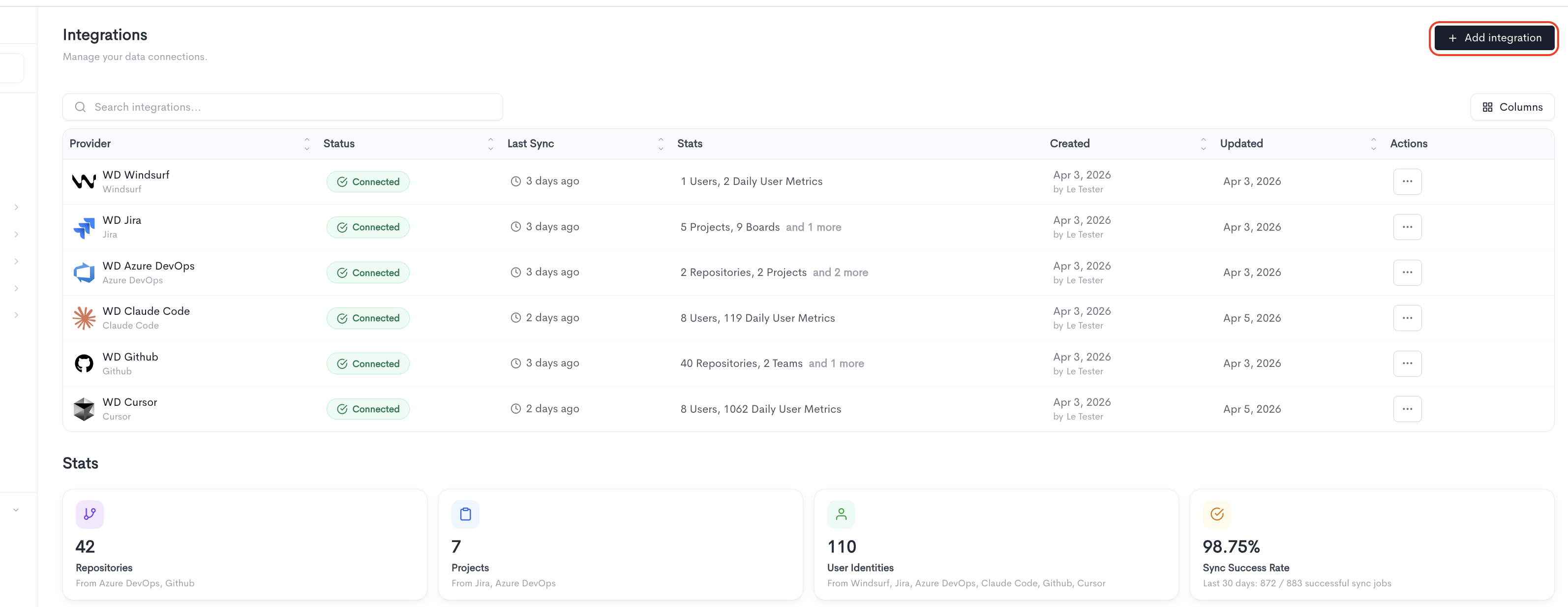
Only one token is needed for DevOps and Boards.
How to create the token
-
In Azure DevOps, click your avatar (top right) → Personal access tokens → New Token.
-
Pick Custom defined (not Full access).
-
Click Show all scopes at the bottom — some scopes are hidden by default.
-
Tick the scopes you need from the list below:
- Work Items (read)
- Build (read)
- Code (read)
- Graph (read)
- Identity (read)
- Project and Team (read)
- Release (read)
- Task Groups (read)
-
Set expiration, then Create, and copy the token immediately (it won't show again).
Adding the integration
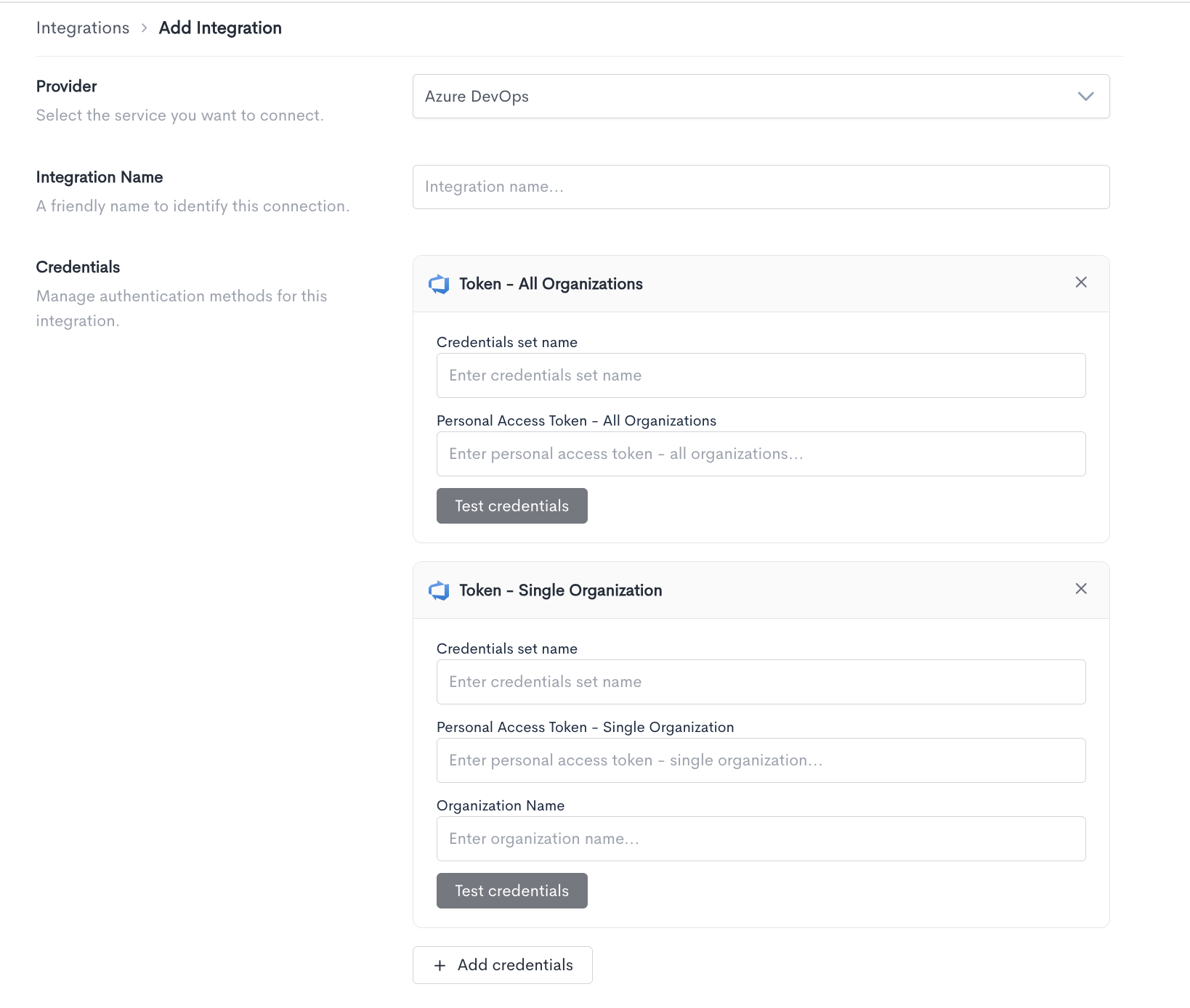
When adding an Azure DevOps integration, fill in the following fields:
- Provider - Select Azure DevOps from the dropdown.
- Integration Name - A friendly name to identify this connection within Waydev.
- Credentials - Azure DevOps supports two token-based authentication methods. Choose the one that matches your setup and fill in the required fields for each.
Token - All Organizations
Use this method to connect a Personal Access Token scoped to all organizations in your Azure DevOps account.
- Credentials set name - A label to identify this set of credentials.
- Personal Access Token - All Organizations - The personal access token generated from your Azure DevOps account with access to all organizations.
Click Test credentials to verify the connection.
Token - Single Organization
Use this method to connect a Personal Access Token scoped to a specific Azure DevOps organization.
- Credentials set name - A label to identify this set of credentials.
- Personal Access Token - Single Organization - The personal access token generated from your Azure DevOps account with access to a single organization.
- Organization Name - The name of the Azure DevOps organization this token has access to.
Click Test credentials to verify the connection.
You can add multiple credential sets using the + Add credentials button. Click Cancel to discard the integration setup and return to the Integrations list.
Updated about 2 months ago