Data Detection Rules
Overview
Data detection rules define how Waydev interprets your deployments and incidents. All existing rules are listed in a table with the following columns:
- Name — The name of the detection rule.
- Deploy Detection — The method used to detect deployments (e.g. Git Push) and the associated branch or configuration.
- Incident Detection — The method used to detect incidents (e.g. Title) and the associated keyword or filter.
- Repositories — The repositories this rule applies to. Multiple repositories are listed inline, with any additional ones indicated by an "and X more" label.
- Created At — The date and time the rule was created.
- Actions — Options to delete the rule via the ··· menu.
To create a new rule, click + Add Deployment Rule in the top-right corner. You can also search for existing rules using the search bar, or adjust the visible columns using the Columns button.
Adding a deployment rule
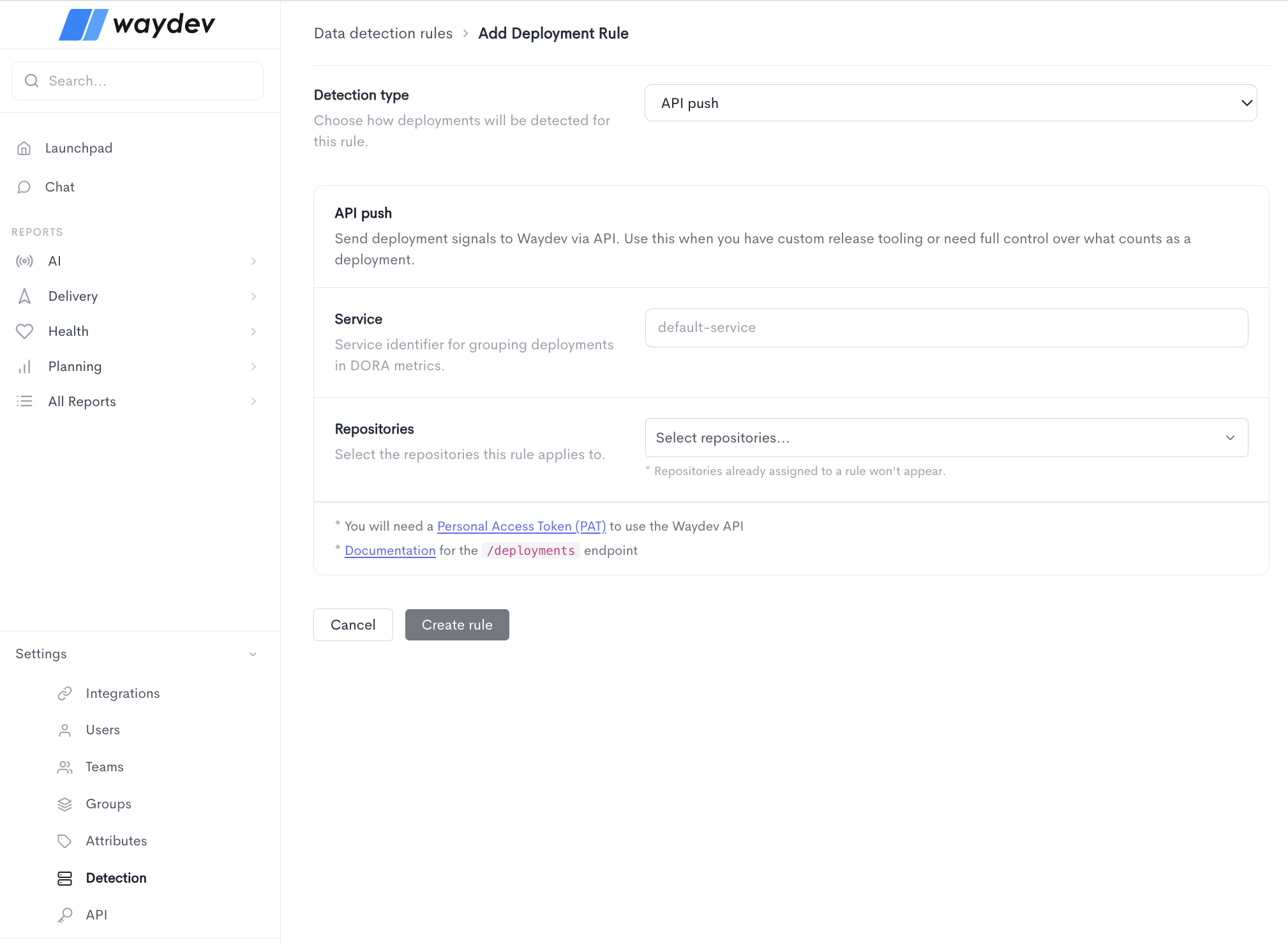
PR merge
- Detection type — Choose how deployments will be detected for this rule. When PR merge is selected, merged pull requests are treated as deployment events. This works well when merging into a branch directly triggers a release.
- Release branch — Specify the branch that pull requests are merged into to signal a release (e.g.
main). Accepts regular expressions. - Incident keyword — Define a keyword that, when found in a merge, will flag the previous deploy as a failure. You can choose to match against one of two fields:
- Title — Match the keyword against the pull request title (e.g.
hotfix|revert). - Branch — Match the keyword against the branch name instead. The keyword value accepts regular expressions.
- Title — Match the keyword against the pull request title (e.g.
- Service — A service identifier used for grouping deployments in DORA metrics (e.g.
default-service). - Repositories — Select the repositories this rule applies to. Note that repositories already assigned to another rule will not appear in the list.
Once all fields are filled in, click Create rule to save the deployment rule. Click Cancel to discard the changes and return to the Data detection rules list.
API push
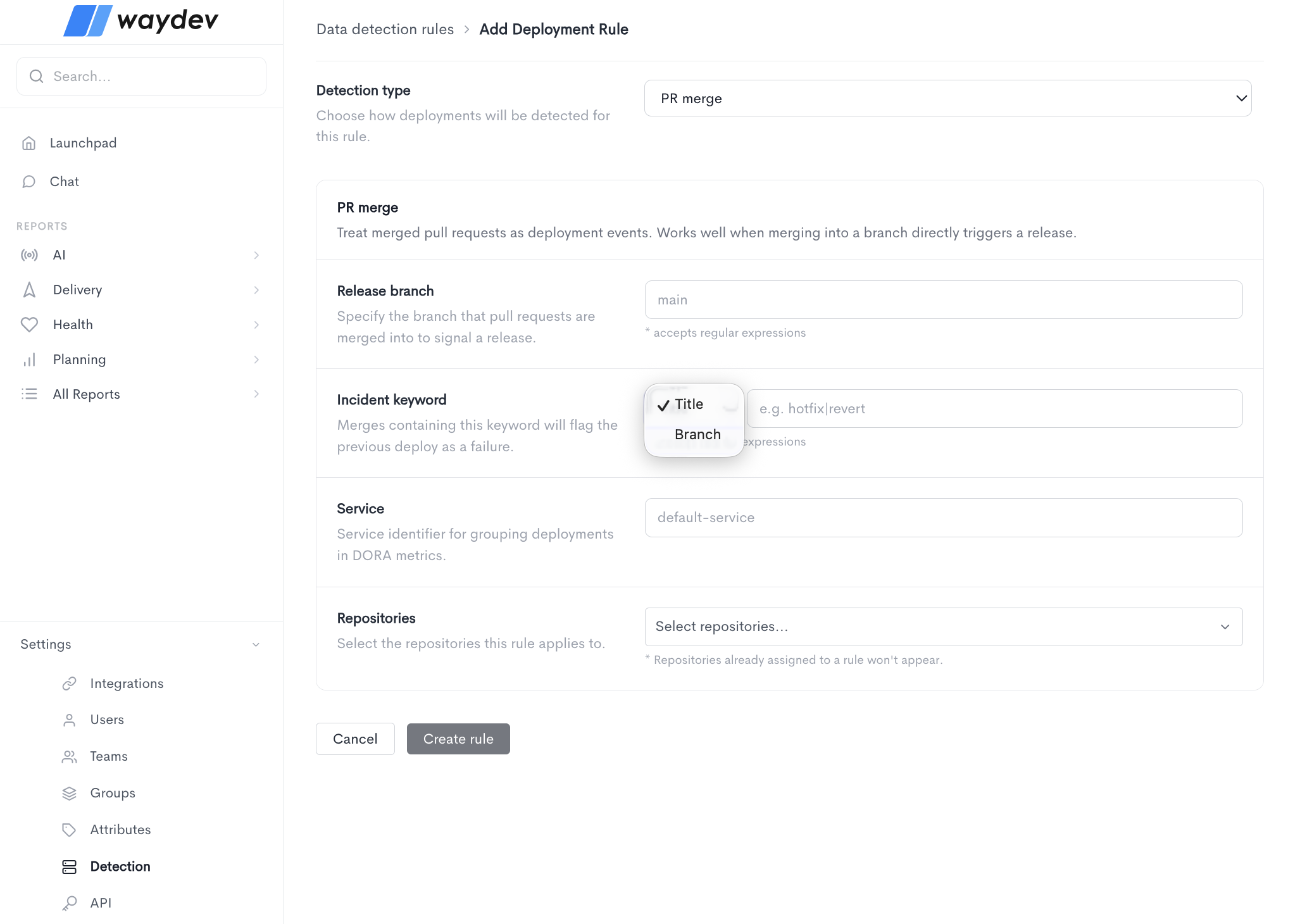
When the API push detection type is selected, deployment signals are sent to Waydev directly via API. Use this when you have custom release tooling or need full control over what counts as a deployment.
Fill in the following fields:
- Detection type — Select API push from the dropdown.
- Service — A service identifier used for grouping deployments in DORA metrics (e.g.
default-service). - Repositories — Select the repositories this rule applies to. Note that repositories already assigned to another rule will not appear in the list.
You will need a Personal Access Token (PAT) to use the Waydev API. Refer to the documentation for the/deploymentsendpoint for details on how to send deployment signals programmatically.
Once all fields are filled in, click Create rule to save the deployment rule. Click Cancel to discard the changes and return to the Data detection rules list.