

Repository Groups
Repository groups let you organize repositories into named sets so that reports can be aggregated by group rather than by individual repository. They also act as an access boundary: a user's Repository Groups access setting controls which repositories' data they can see.
Groups list
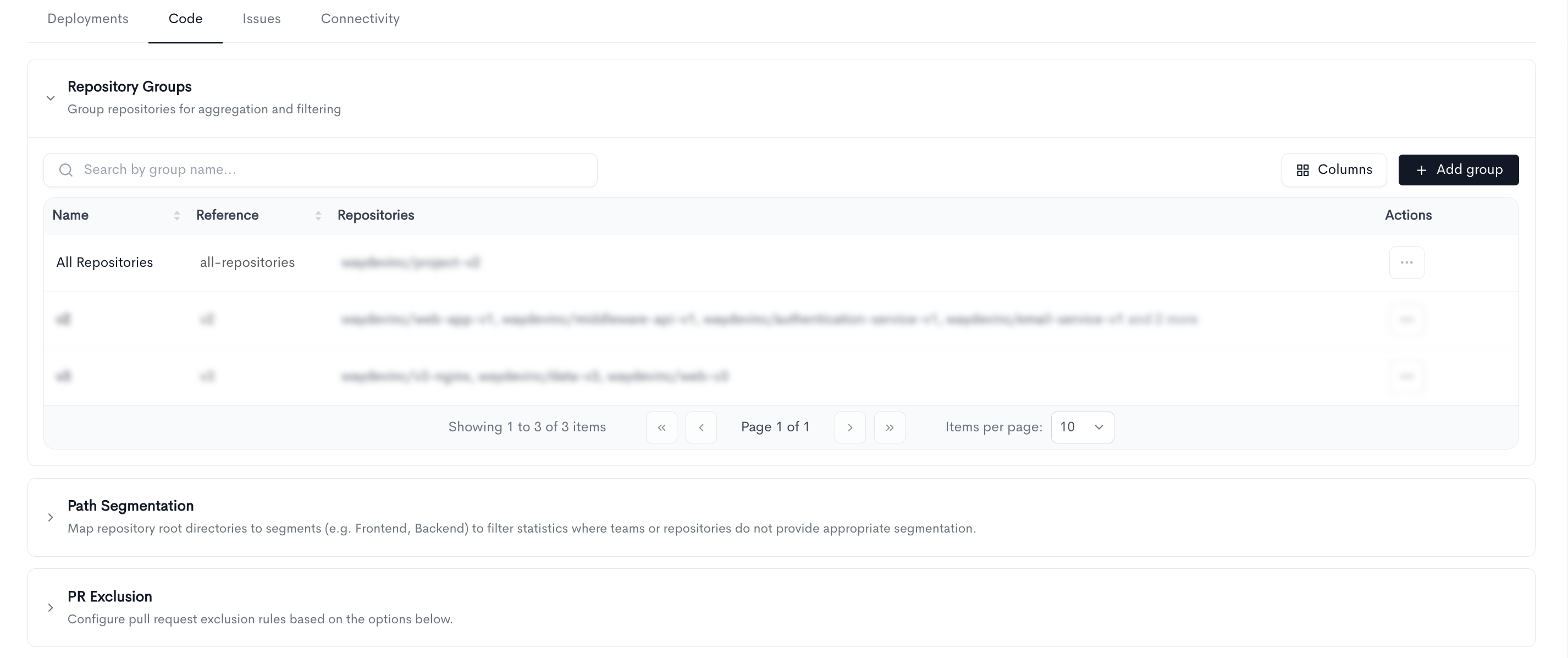
The table shows every group in your workspace:
- Name — The group's display name, as it appears in report filters.
- Reference — The group's unique slug identifier.
- Repositories — The repositories included in the group. The first few are listed; hover and N more to see the rest.
- Actions — Per-row menu with Edit and Delete.
Default group
Every workspace has a built-in all repositories group that includes everything. It can't be edited or deleted — its action menu is disabled — because it's what reports and access checks fall back to when no narrower group applies.
Adding or editing a group
Click Add group, or Edit on an existing row. All three fields are required:
- Name — A display name for the group, e.g. Backend.
- Reference — A unique slug identifier used to reference the group programmatically. Lowercase letters, numbers, and dashes only, e.g. backend.
- Repositories — The repositories to include. The selector supports searching, loading more results as you scroll, and a select-all option; a running count of your selection is shown beneath it.
Filtering by repository groups
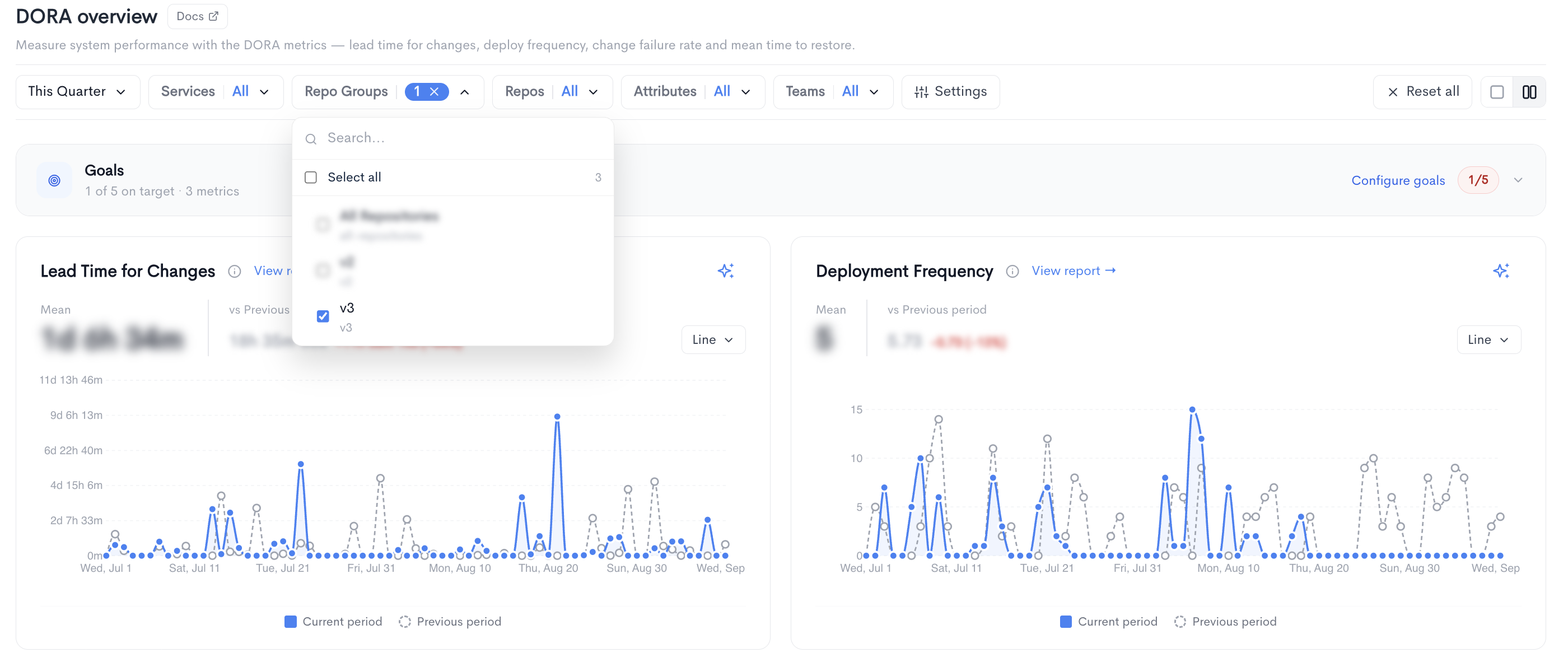
Once repository groups exist, they become a filter in their own right across the reporting pages. Instead of picking a dozen repositories every time you want to look at one part of the system, you select the group once.
The Repository group and Repository filters work together as two levels of the same choice:
- Filter by repository group to scope a report to a whole set of repositories — a service, a product area, a domain.
- Then filter by repository to narrow further within that group. The repository filter is scoped to your group selection, so it only offers repositories that belong to the groups you picked, rather than every repository in the workspace.
Notes
- A repository can belong to more than one group, which is useful when the same service is relevant to several domains or product areas.
- Groups are the unit reports aggregate on, so it's worth defining them along the lines you actually want to compare — by service, product area, or ownership — rather than mirroring your folder structure.
- If no groups exist yet, the page prompts you to create one and explains that groups exist to organize repositories for aggregation.
Updated 27 days ago