

Azure DevOps
How to add the Azure DevOps integration.
We recommend using OAuth when available. It's faster to set up and does not require generating or managing a token.
Prerequisites
- A Personal Access Token with admin access. Learn how to generate it.
To add a new integration click on the + Add Integration button.
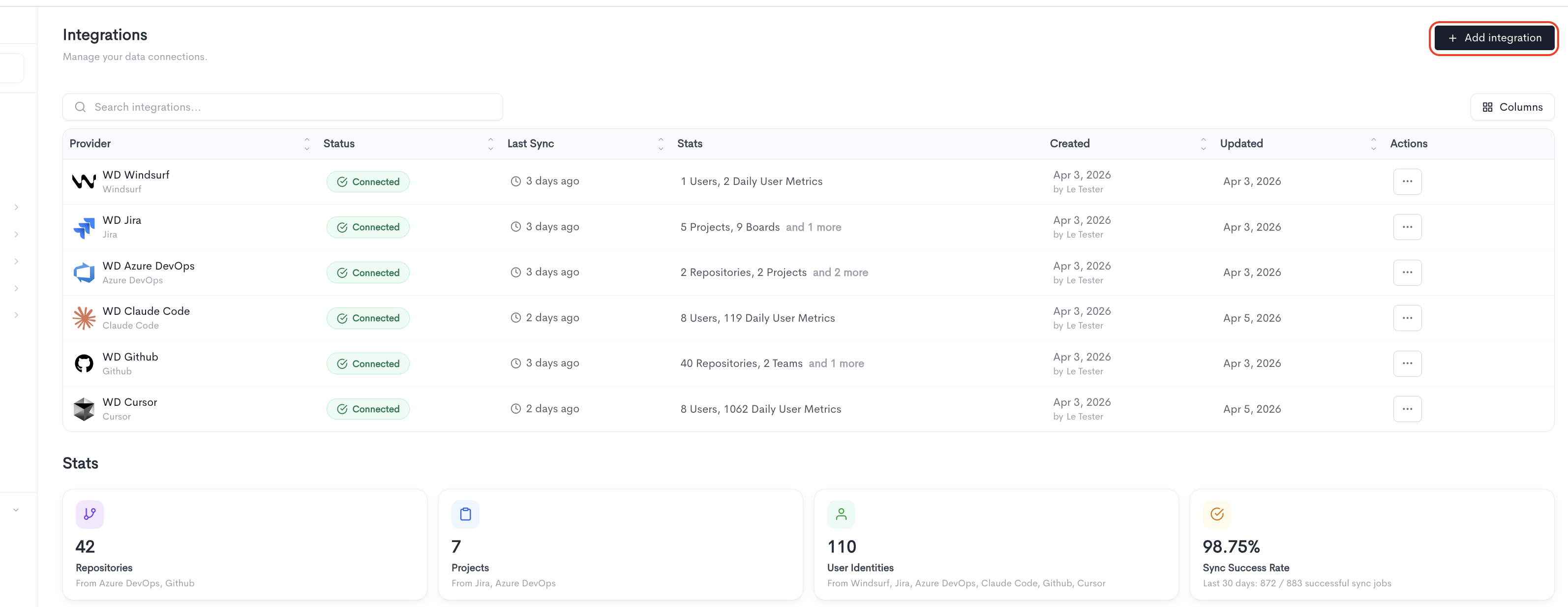
Only one token is needed for DevOps and Boards.
How to create the token
-
In Azure DevOps, click your avatar (top right) → Personal access tokens → New Token.
-
Pick Custom defined (not Full access).
-
Click Show all scopes at the bottom — some scopes are hidden by default.
-
Tick the scopes you need from the list below:
- Work Items (read)
- Build (read)
- Code (read)
- Graph (read)
- Identity (read)
- Project and Team (read)
- Release (read)
- Task Groups (read)
-
Set expiration, then Create, and copy the token immediately (it won't show again).
Adding the integration
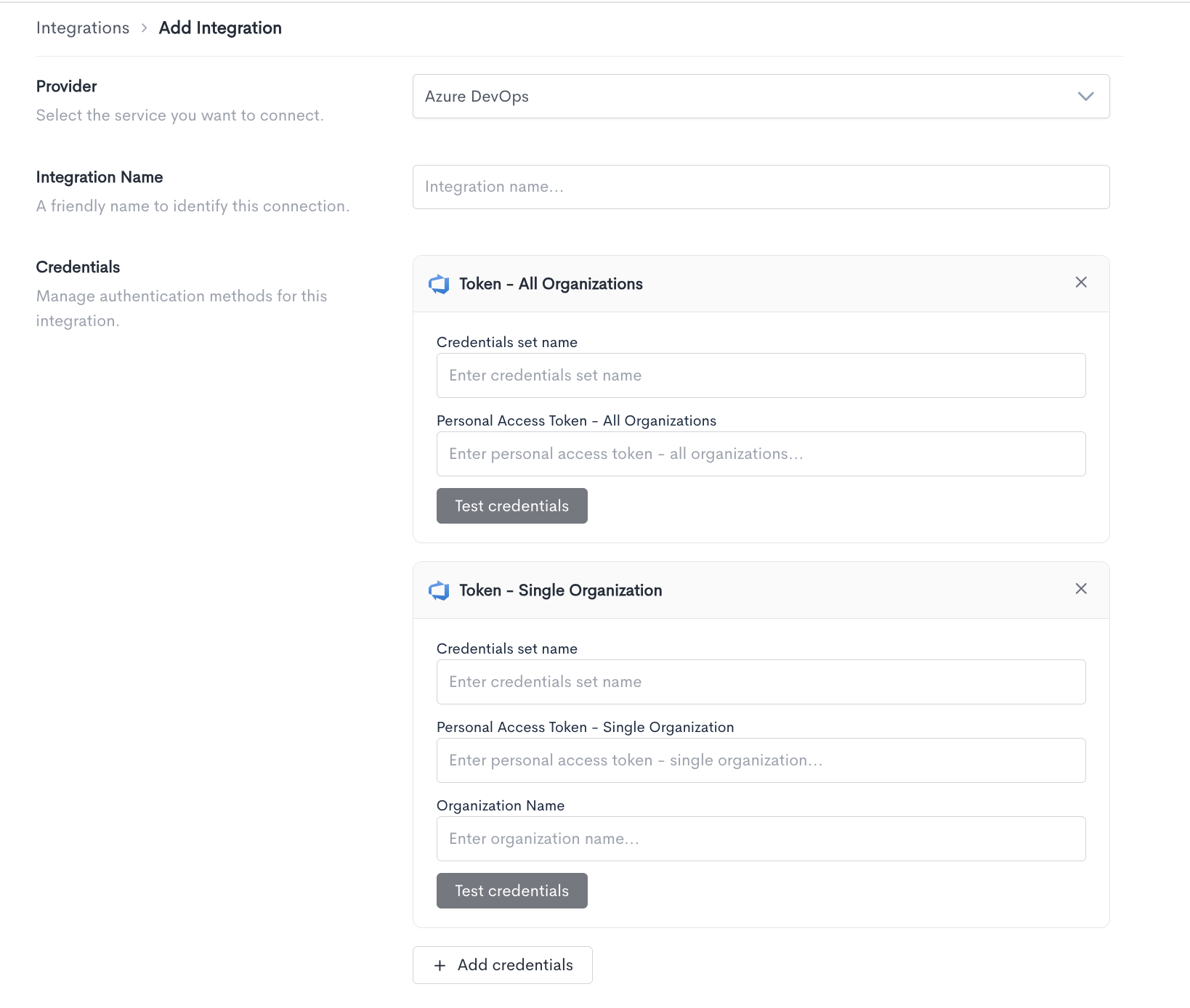
When adding an Azure DevOps integration, fill in the following fields:
- Provider - Select
Azure DevOpsfrom the dropdown. - Integration Name - A friendly name to identify this connection within Waydev.
- Credentials - Azure DevOps supports three authentication methods. Choose the one that matches your setup and fill in the required fields for each.
OAuth
Use this method to connect via OAuth instead of a Personal Access Token.
- Click Connect to launch the OAuth authorization flow.
- Make sure popups are allowed in your browser, the connection window opens as a popup.
Token - Single Organization
Use this method to connect a Personal Access Token scoped to a specific Azure DevOps organization.
- Credentials set name - A label to identify this set of credentials.
- Personal Access Token - Single Organization - The personal access token generated from your Azure DevOps account with access to a single organization.
- Organization Name - The name of the Azure DevOps organization this token has access to.
Click Test credentials to verify the connection.
Token - All Organizations
Use this method to connect a Personal Access Token scoped to all organizations in your Azure DevOps account.
- Credentials set name - A label to identify this set of credentials.
- Personal Access Token - All Organizations - The personal access token generated from your Azure DevOps account with access to all organizations.
Click Test credentials to verify the connection.
You can add multiple credential sets using the + Add credentials button. Click Cancel to discard the integration setup and return to the Integrations list.
Updated about 1 month ago