

PR Insights
PR Insights
The PR Insights report provides a comprehensive view of pull request lifecycle metrics, review patterns, and delivery health across your engineering organization. It is accessible under Delivery in the left sidebar and is organized into three tabs: Overview, Collaboration and Resolution.
Overview tab
The Overview tab contains three main sections:
Cycle Time Breakdown - A visual breakdown of pull request lifecycle stages, showing median times across all PRs for the selected period:
- Coding Time - Time from PR creation to when it was opened for review.
- Pickup Time - Time from when the PR was ready for review to when the first review was submitted.
- Review Time - Time from the first review to when the PR was merged.
- Deploy Time - Time from merge to deployment.
Pull request timeline - A chronological timeline of the pull request's lifecycle, where each event type is encoded at its own level of granularity - a dot for a commit, a tick for a comment.
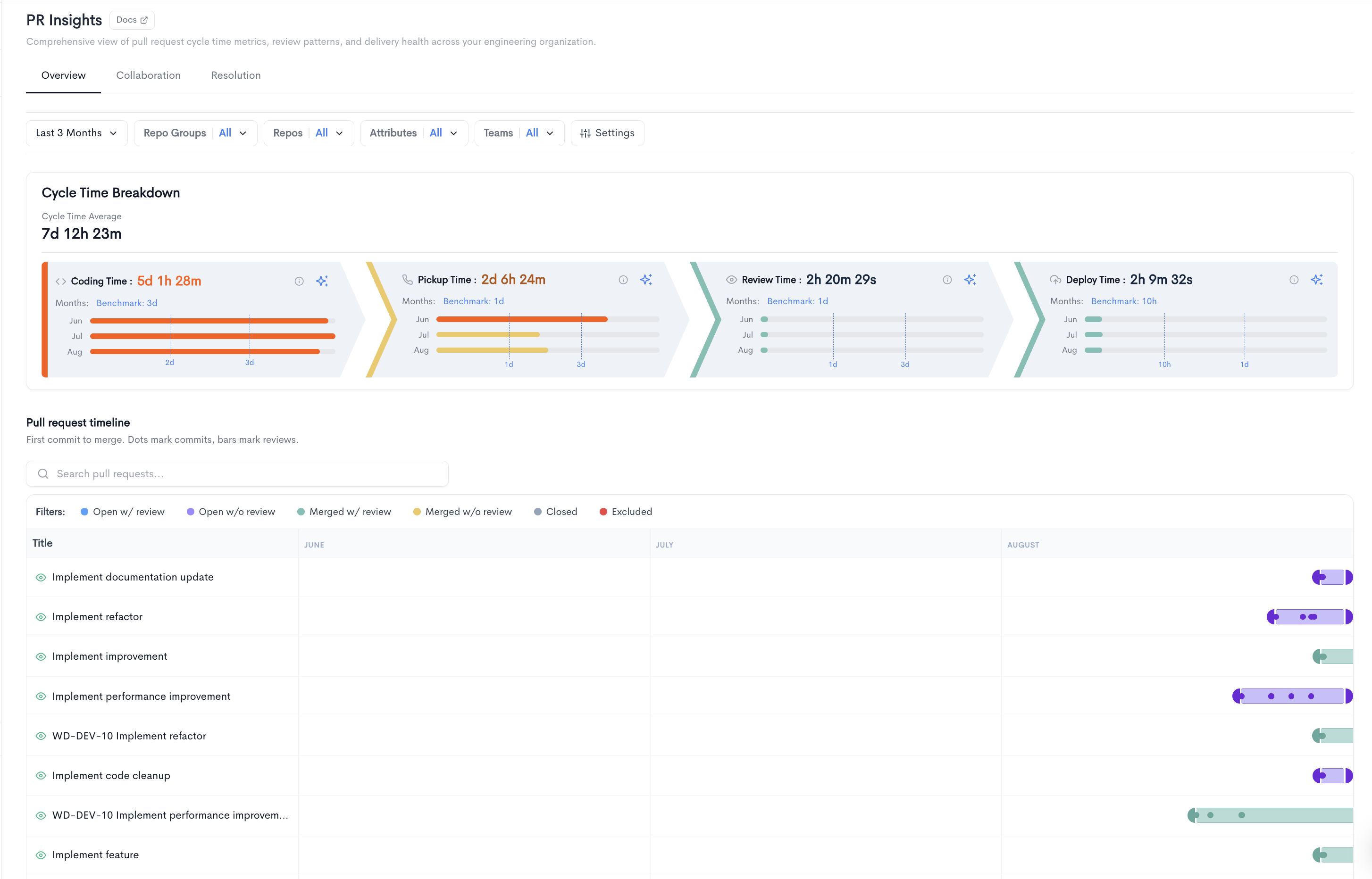
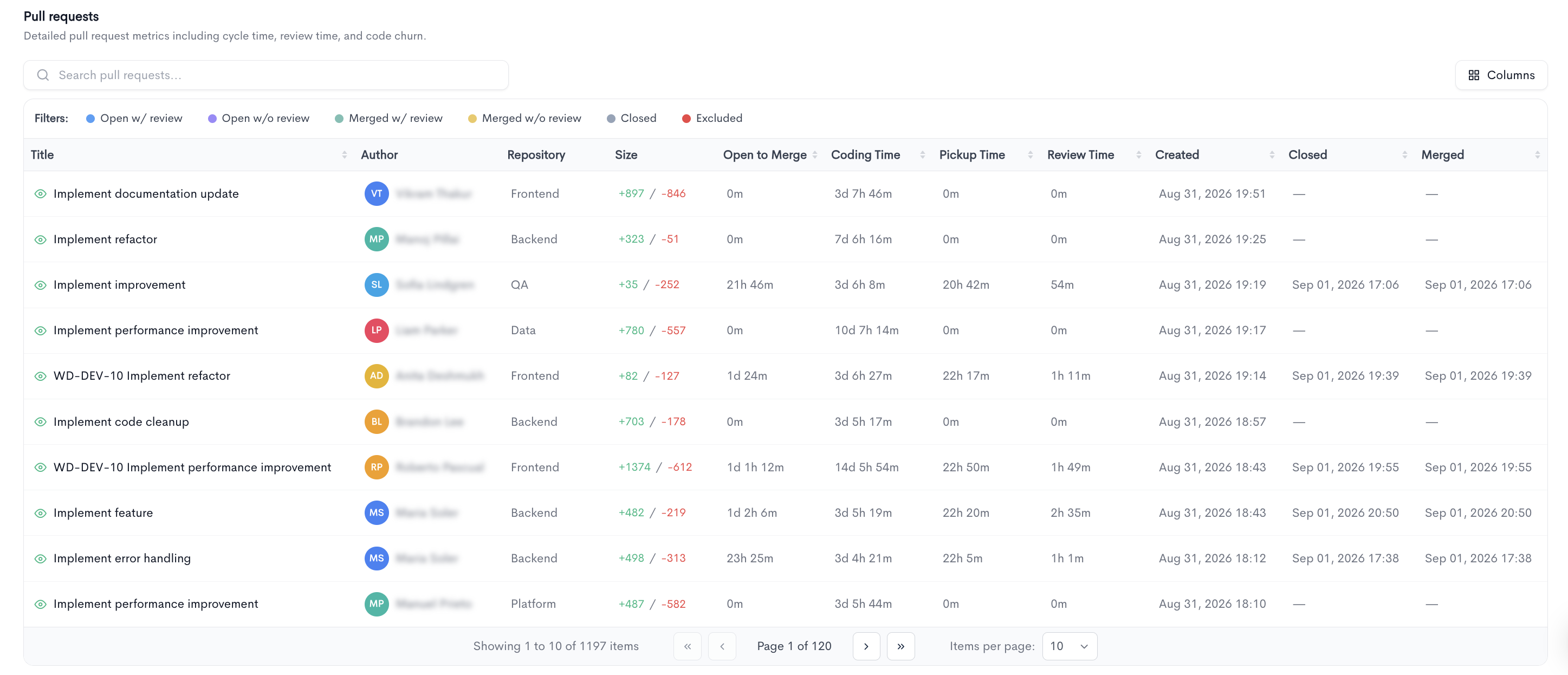
Pull requests - A searchable, paginated table listing all pull requests with the following columns:
- Title - The pull request title, linked to the source provider.
- Author - The developer who created the pull request.
- Repository - The repository the pull request belongs to.
- Size - The number of lines added and removed.
- Open to Merge - The total time from opening to merging the PR.
- Coding Time - The coding time for the individual PR.
- Pickup Time - The pickup time for the individual PR.
- Review Time - The review time for the individual PR.
- Created - The date and time the PR was created.
- Closed - The date and time the PR was closed.
- Merged - The date and time the PR was merged.
Filters available at the top of the Overview tab include date range, Repos, Attributes, PR State, Teams, and Groups.
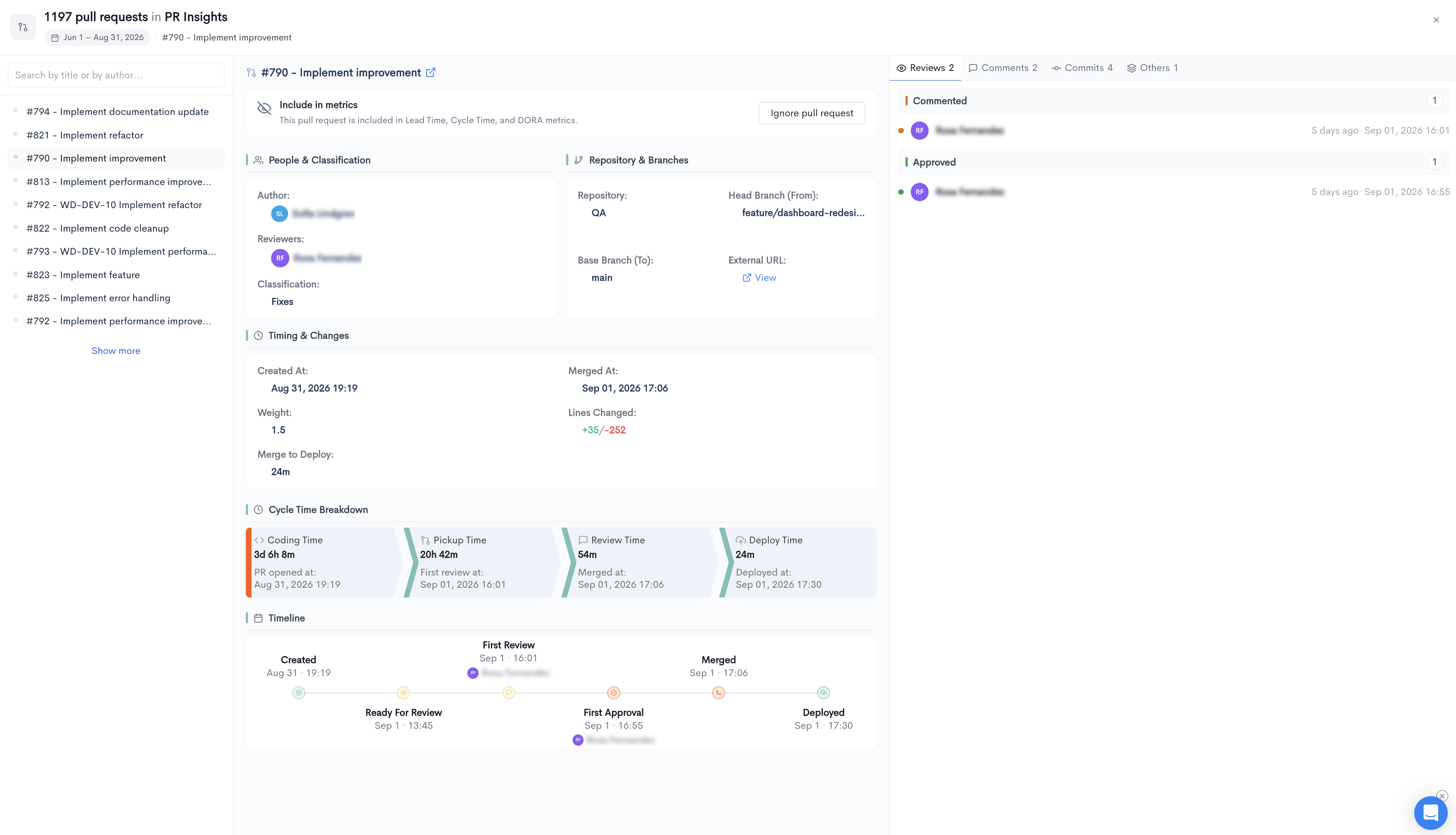
PR detail view
Clicking on a pull request in the table opens a detail view:
Overview - Shows the full lifecycle breakdown for the individual PR, including Coding Time, Pickup Time, Review Time, and Deploy Time with their exact timestamps. Also displays a Details section with the following fields:
- Repository - The repository the PR belongs to.
- Head Branch (From) - The source branch of the PR.
- Base Branch (To) - The target branch of the PR.
- Created At - The date and time the PR was created.
- Merged At - The date and time the PR was merged.
- Classification - The classification of the PR, if assigned.
- Weight - The calculated weight of the PR.
- Lines Changed - The number of lines added and removed.
- Merge to Deploy - The time between merge and deployment.
- Reviewers - The list of reviewers assigned to the PR.
A Timeline section below the details shows a chronological log of all PR events, including creation, ready for review, first review, and first approval.
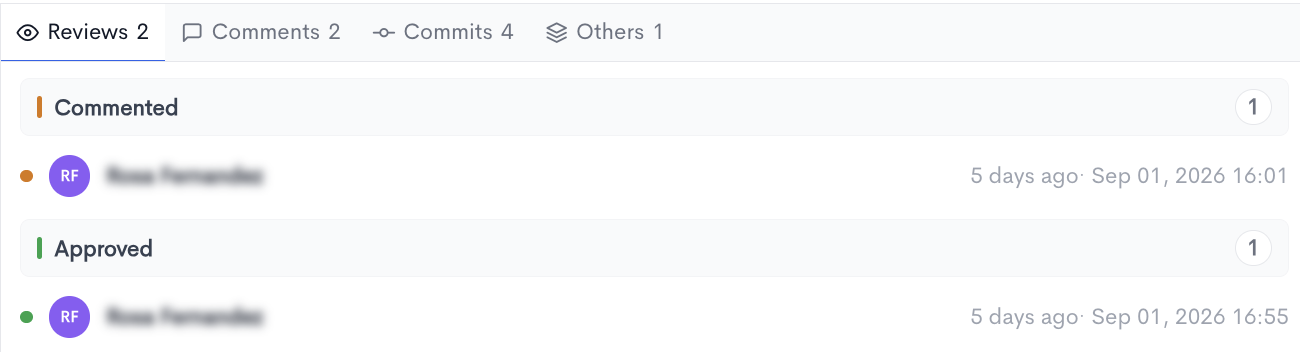
Reviews - Every review submitted on the PR, grouped by verdict — Approved, Changes Requested, Declined — with a count per group, the reviewer, and both relative and absolute timestamps. Grouping by outcome makes review sentiment the primary signal, while timestamps preserve the sequence.
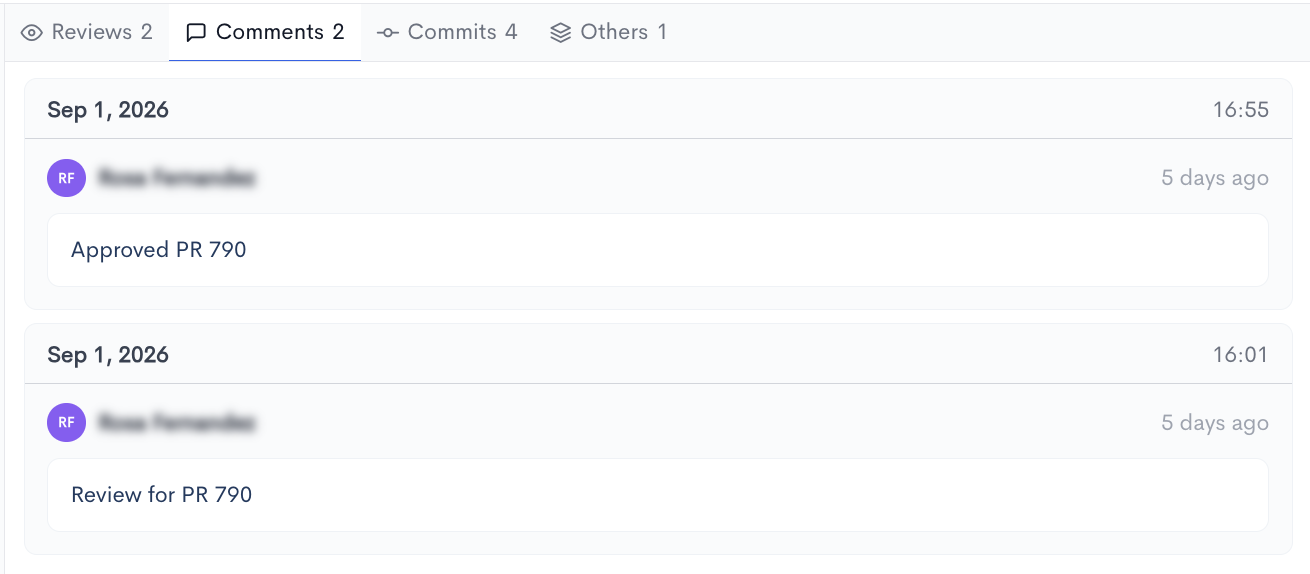
Comments - All discussion on the pull request, grouped by day, showing author, elapsed time, and comment body. This is where review depth lives — whether a PR was genuinely discussed or waved through.
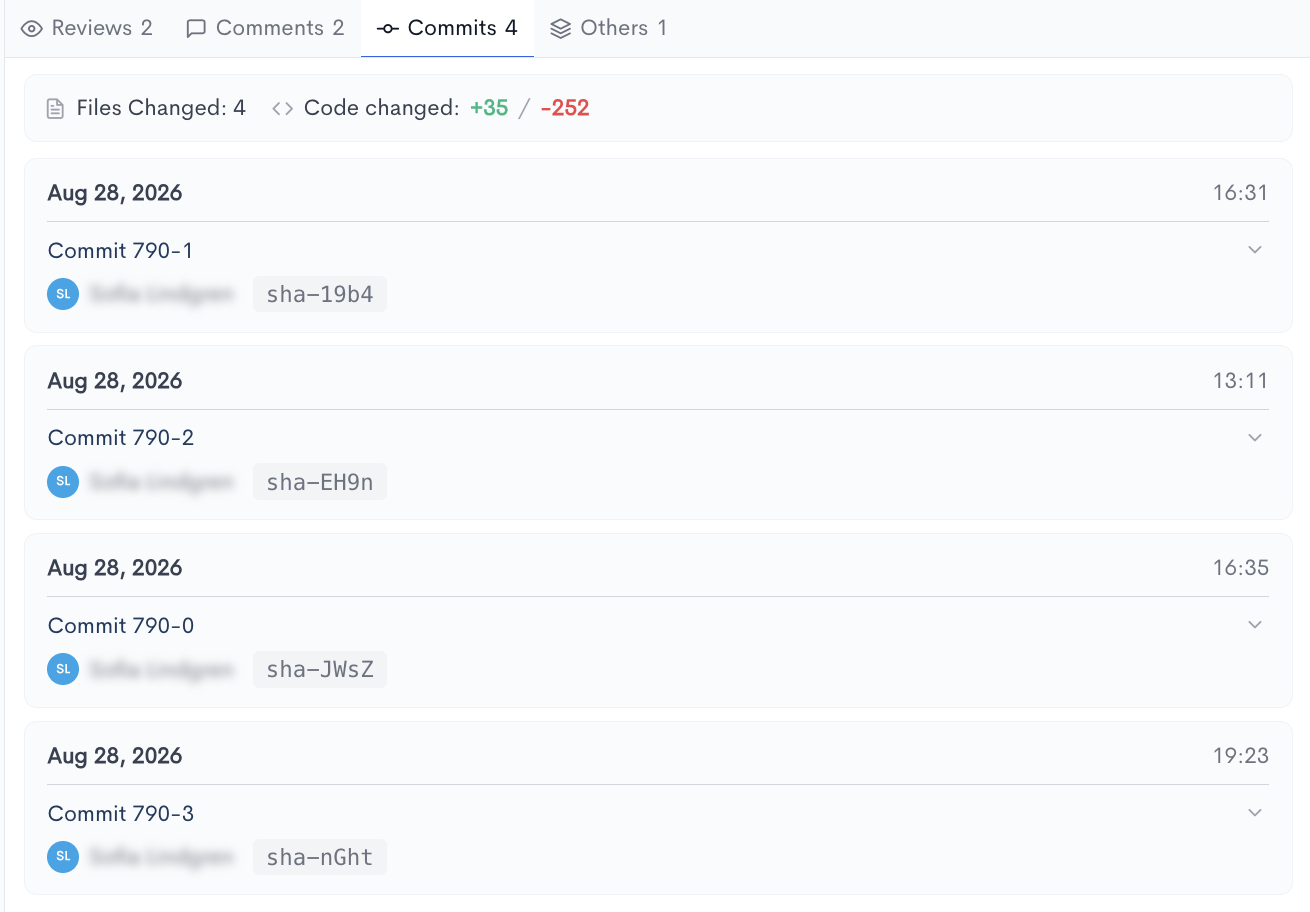
Commits - A list of all commits included in the PR, showing each commit's SHA (linked to the source provider) and commit message.
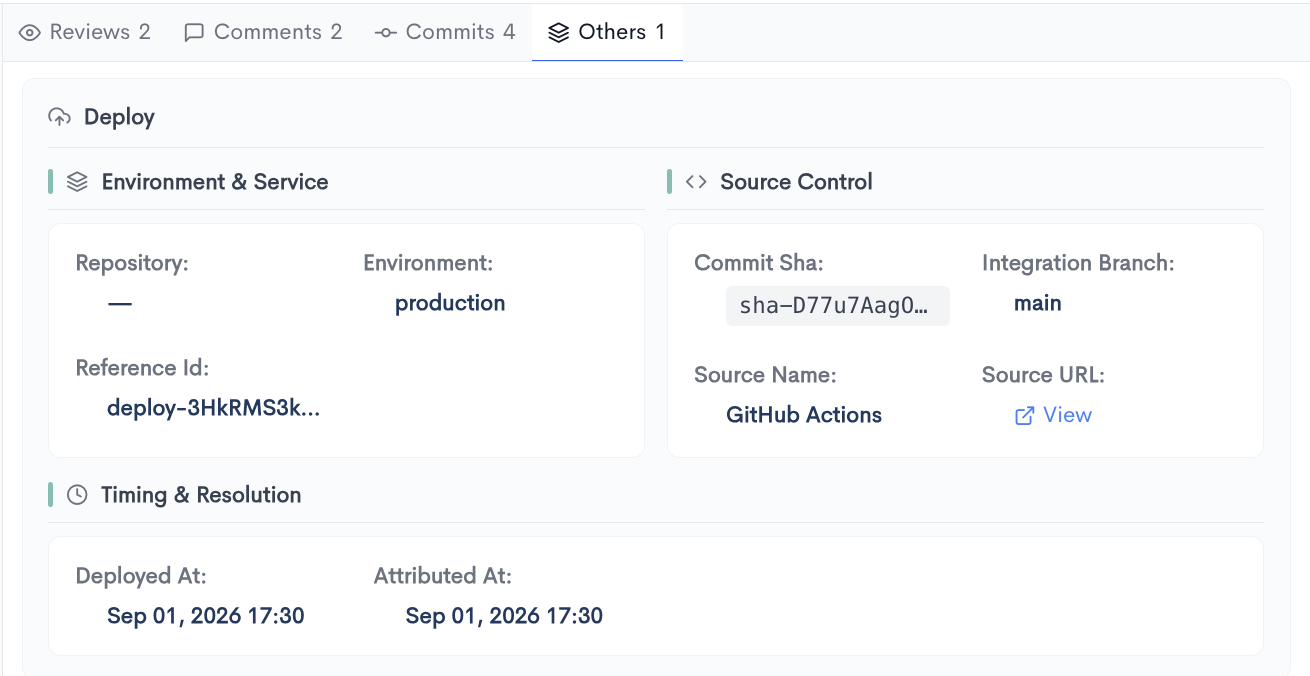
Others - Lifecycle events that occur outside the pull request itself but are attributed to it — most notably deployments. Each event expands into a structured record:
- Environment & Service — target environment, service or repository, and deployment reference ID.
- Source Control — the deployed commit SHA, integration branch, and the source system that produced the deployment (e.g. GitHub Actions), with a link to the run.
- Timing & Resolution — deployment, attribution, and resolution timestamps, plus time to restore where an incident is linked.
Collaboration tab
The Collaboration tab answers a question the delivery metrics can't: who actually reviews whose code. Speed metrics tell you how fast pull requests move; collaboration tells you whether review work is spread across the team or concentrated in a few people — the difference between a team that shares knowledge and one with a single point of failure.
Collaboration Graph
A directed graph of review relationships, with Submitters on one side and Reviewers on the other. Each person is shown with their avatar, their total count, and a proportional bar, and arrows connect submitters to the reviewers who reviewed their work.
- Each column can be sorted independently, so the heaviest submitters or the busiest reviewers can be brought to the top.
- Hovering a person highlights only their connections and opens a tooltip with the detail of that relationship, isolating a single review pathway from the rest of the graph.
- Clicking a person drills through to their individual view.
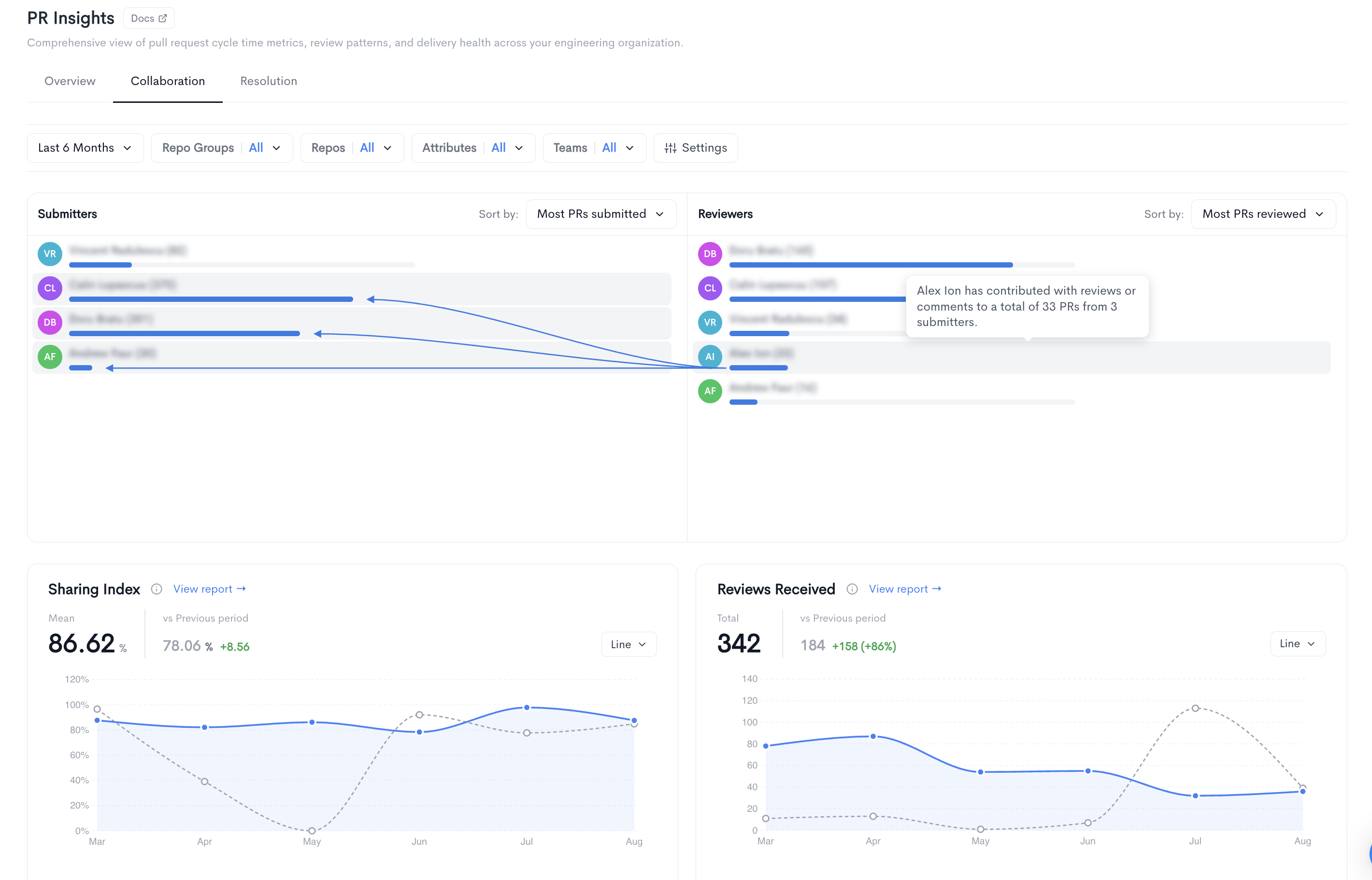
Sharing Index - how evenly code review work is distributed across the team, on a 0–100 scale.
- 100 - every reviewer carries a similar share of the review load
- 0 - one person performed effectively all reviews.
Reviews Received is total number of reviews received on pull requests in the period, bucketed by the date each review was submitted. This is the volume counterpart to Sharing Index: it establishes how much review activity took place, giving the distribution score its context.
Both metrics support the standard widget controls — chart type, previous-period comparison, and a link through to the full metric report with its own breakdown.
Resolution tab
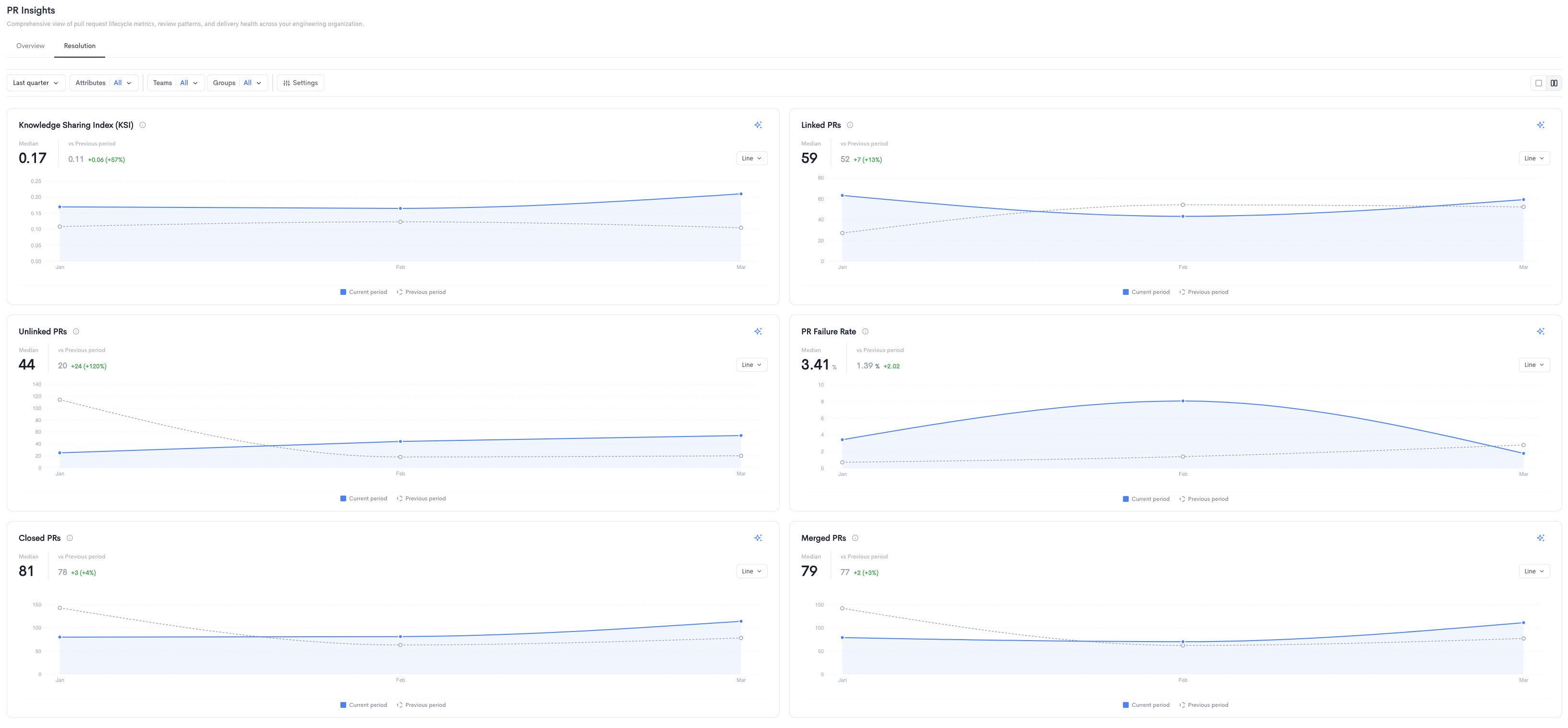
The Resolution tab provides metrics focused on PR quality and review health. Each metric is displayed as a time-series chart comparing the current period to the previous period. Charts can be toggled between Line, Bar, Area, Heatmap, and Scatter views.
Metrics displayed include:
- Knowledge Sharing Index (KSI) - A measure of how well knowledge is distributed across the team through code reviews.
- Linked PRs - The number of pull requests linked to a ticket or issue.
- Unlinked PRs - The number of pull requests not linked to any ticket or issue.
- PR Failure Rate - The percentage of pull requests that were closed without being merged.
- Closed PRs - The total number of pull requests closed in the selected period.
- Merged PRs - The total number of pull requests merged in the selected period.
Filters available at the top of the Resolution tab include date range, Attributes, Teams, Groups, and Settings.
Updated about 1 month ago