

AI Footprint
AI Footprint shows how much of the code in each deployment was written by AI, and whether deployments with a higher AI share ended in a successful release or an incident.
Use it to answer one question: as AI writes more of your code, is delivery getting safer or riskier?
Introduction
AI Footprint is built from AI checkpoint data that Entire writes into your commits. You'll need:
- Entire installed and enabled in the repositories you want to track. See AI Checkpoints for setup.
- Deployment tracking connected, so Waydev knows which pull requests shipped in which deployment.
How AI Footprint is calculated
For a single deployment, Waydev collects every commit in every pull request attributed to that deployment, then divides AI-written lines by total lines:
AI Footprint = AI lines ÷ (AI lines + human lines) × 100Two things to keep in mind:
It's weighted by volume, not averaged across commits. A 500-line AI-generated commit moves the number far more than a 5-line one. This gives you the true AI share of the code that shipped, rather than the average of per-commit percentages.
Commits without AI data are excluded entirely. A commit that Entire never instrumented is left out of both sides of the division. Waydev treats "we don't know" as unknown, not as 0% AI — otherwise every uninstrumented commit would silently drag your footprint toward zero.
If a deployment contains no instrumented commits at all, its footprint is No AI data rather than 0%.
AI Footprint Over Time
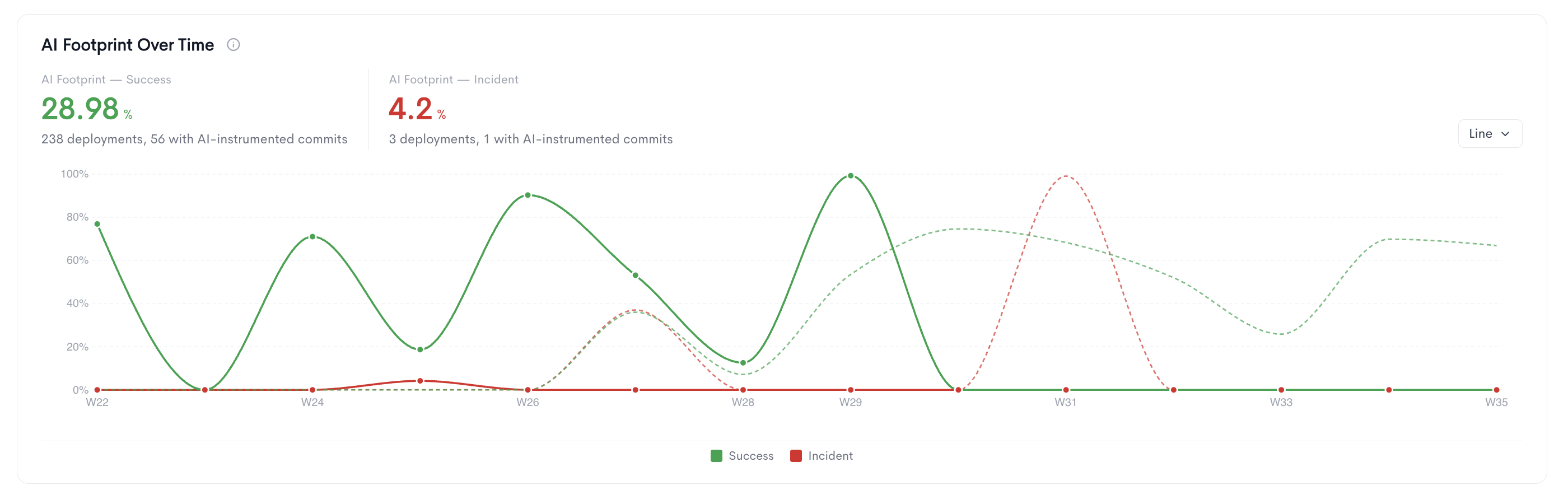
The two figures above the chart are the AI footprint for each outcome across the whole filtered period, with the deployment counts beneath them . The second number is the one that matters for confidence: it tells you how much of your data actually carries AI information.
In the chart, solid lines are the selected period and dashed lines the previous period. You can switch between line, bar, and area.
Breakdown by Team
AI footprint per team, computed from commits authored by that team's own members, across the deployments the team touched. Nested teams roll up — expand a row to see its child teams.
The Outcomes column shows success and incident deployment counts for context. Sort by AI Footprint to find your heaviest AI adopters. An Unassigned row collects users who belong to no team; it's hidden once you filter by team.

Deployments
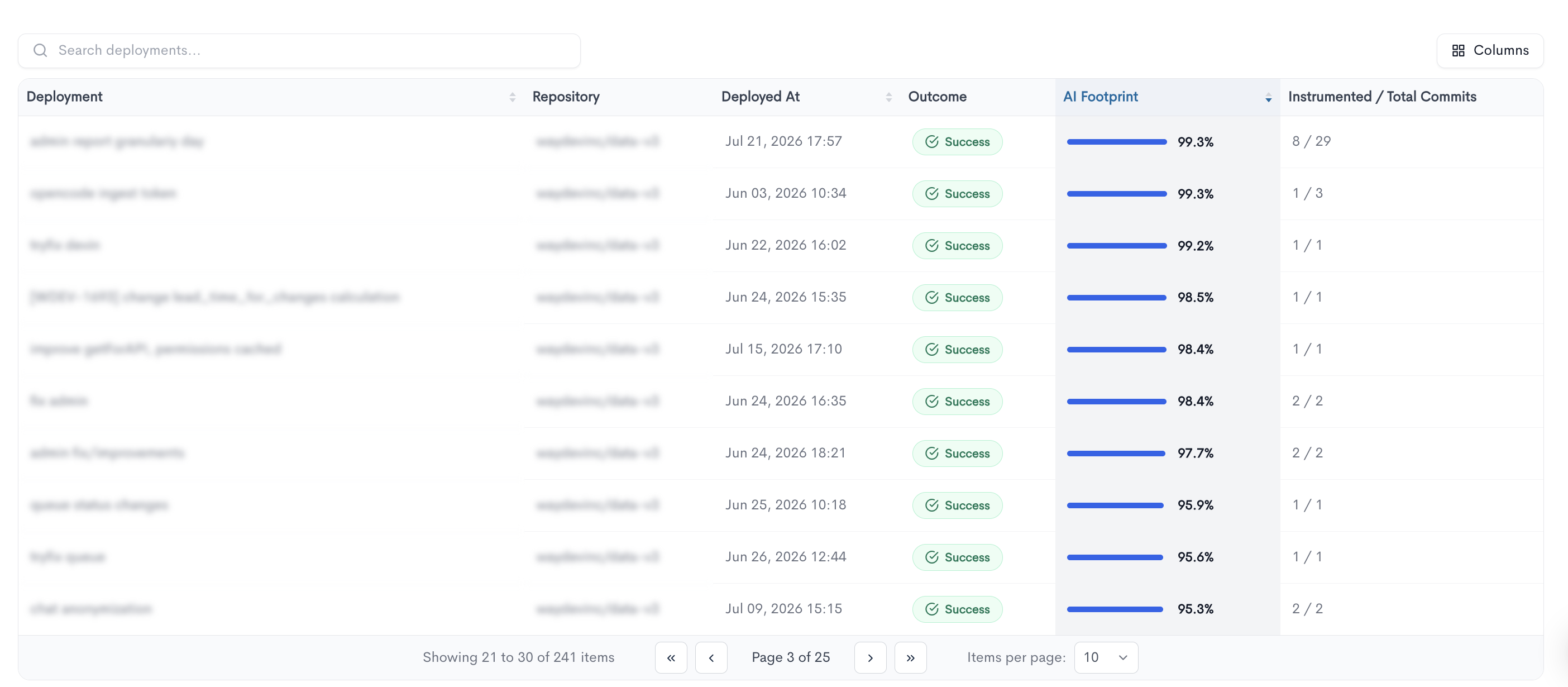
Every deployment in the filtered range, with its outcome, footprint, and an Instrumented / Total Commits count. The first number is how many of the deployment's commits carry AI authorship data; the footprint is calculated from those commits only, ignoring the rest.
Updated about 1 month ago