

Resource Allocations
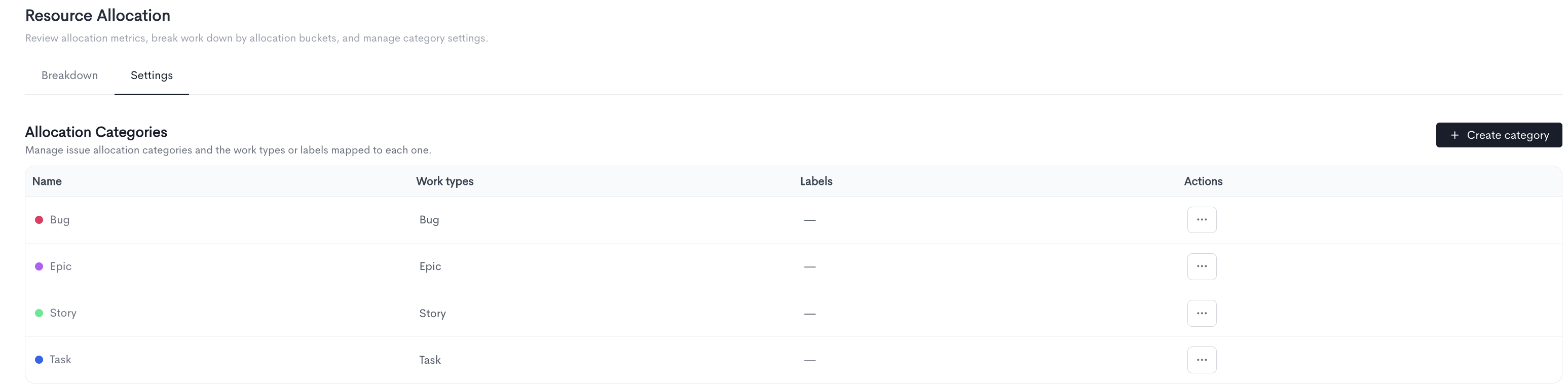
The page allows you to manage allocation categories and the work types or labels mapped to each one.
All existing categories are listed in a table with the following columns:
- Name - The name and color of the category.
- Work types - The work types mapped to this category.
- Labels - The labels mapped to this category.
- Actions - Options to edit or delete the category via the ··· menu.
To create a new category, click + Create category in the top-right corner.
Creating a category
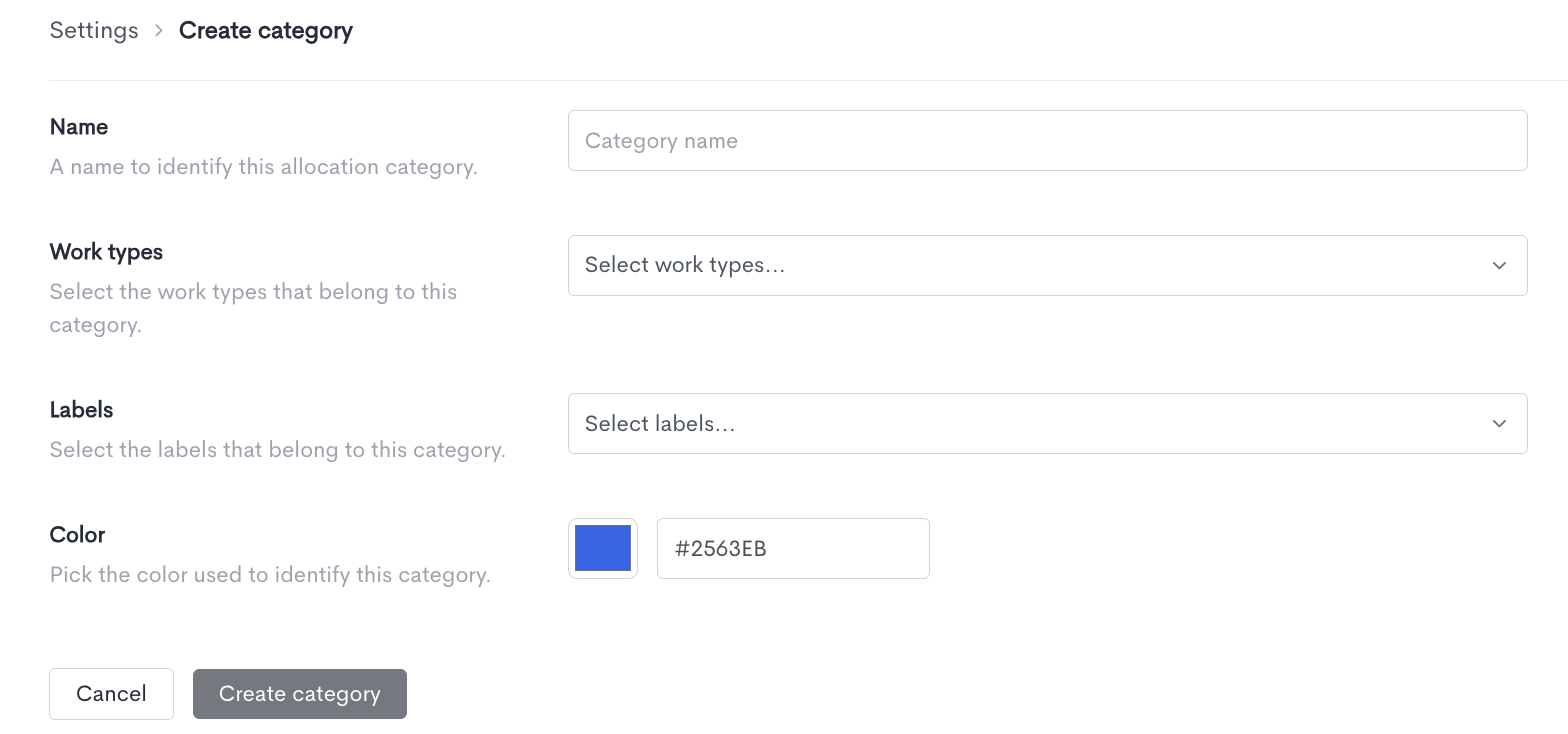
When creating a new allocation category, fill in the following fields:
- Name - A name to identify this allocation category.
- Work types - Select the work types that belong to this category.
- Labels - Select the labels that belong to this category.
- Color - Pick a color to identify this category in charts and tables. You can enter a hex code directly or use the color picker.
Once all fields are filled in, click Create category to save. Click Cancel to discard the changes and return to the Settings tab.
Updated about 2 hours ago