

Resolved Issues
Resolved Issues drilldown
The Resolved Issues page shows a detailed breakdown of issues completed in the selected period.
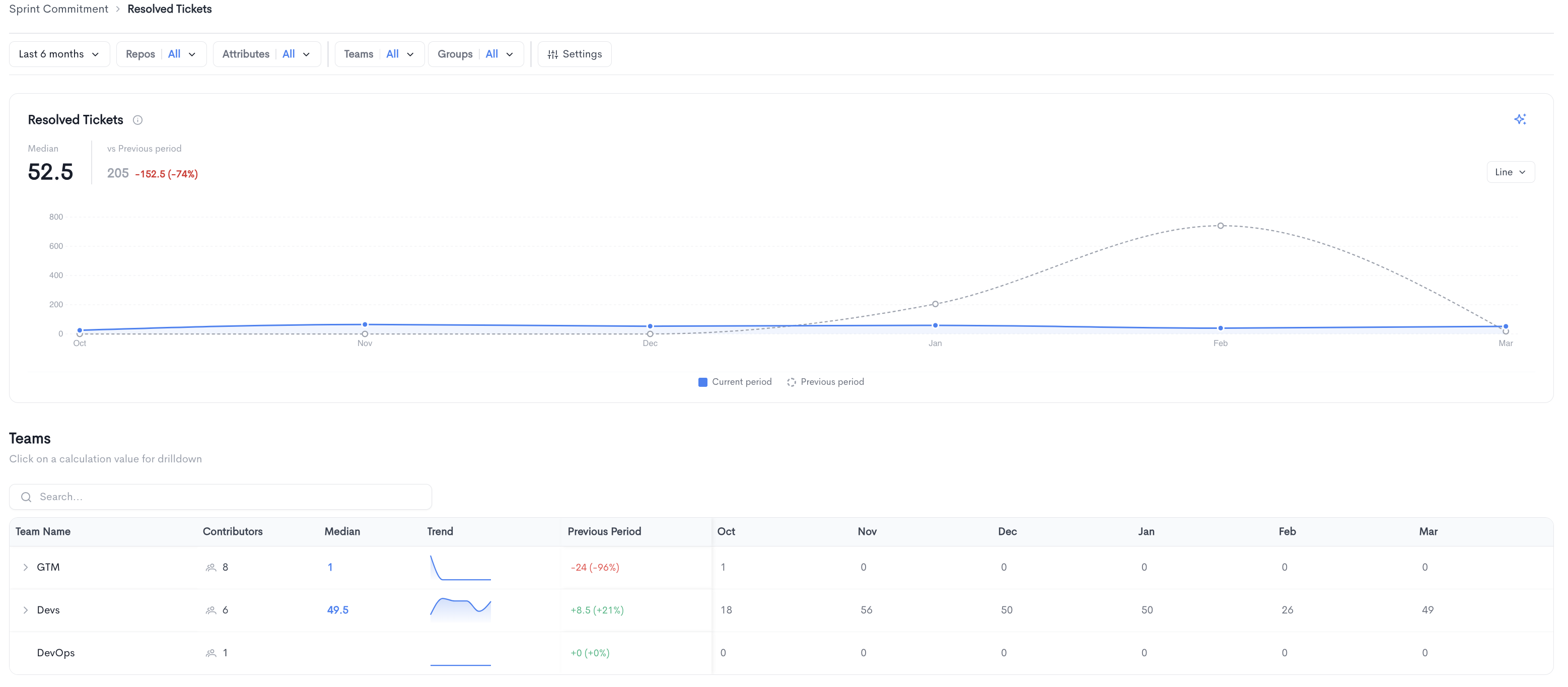
The top of the page displays the median number of resolved issues alongside a comparison to the previous period, along with a trend chart comparing the current period to the previous period.
Teams - A searchable table breaking down resolved issues per team, with the following columns:
- Team Name - The name of the team.
- Contributors - The number of contributors in the team.
- Median - The median number of resolved issues for the team. Clicking on a value opens a drilldown view for that team.
- Trend - A sparkline showing the resolved issue count trend over time.
- Previous Period - The change in resolved issue compared to the previous period.
- Monthly columns showing the resolved issue count per period.
Teams can be expanded to reveal sub-teams.
Resolved Issues team drilldown
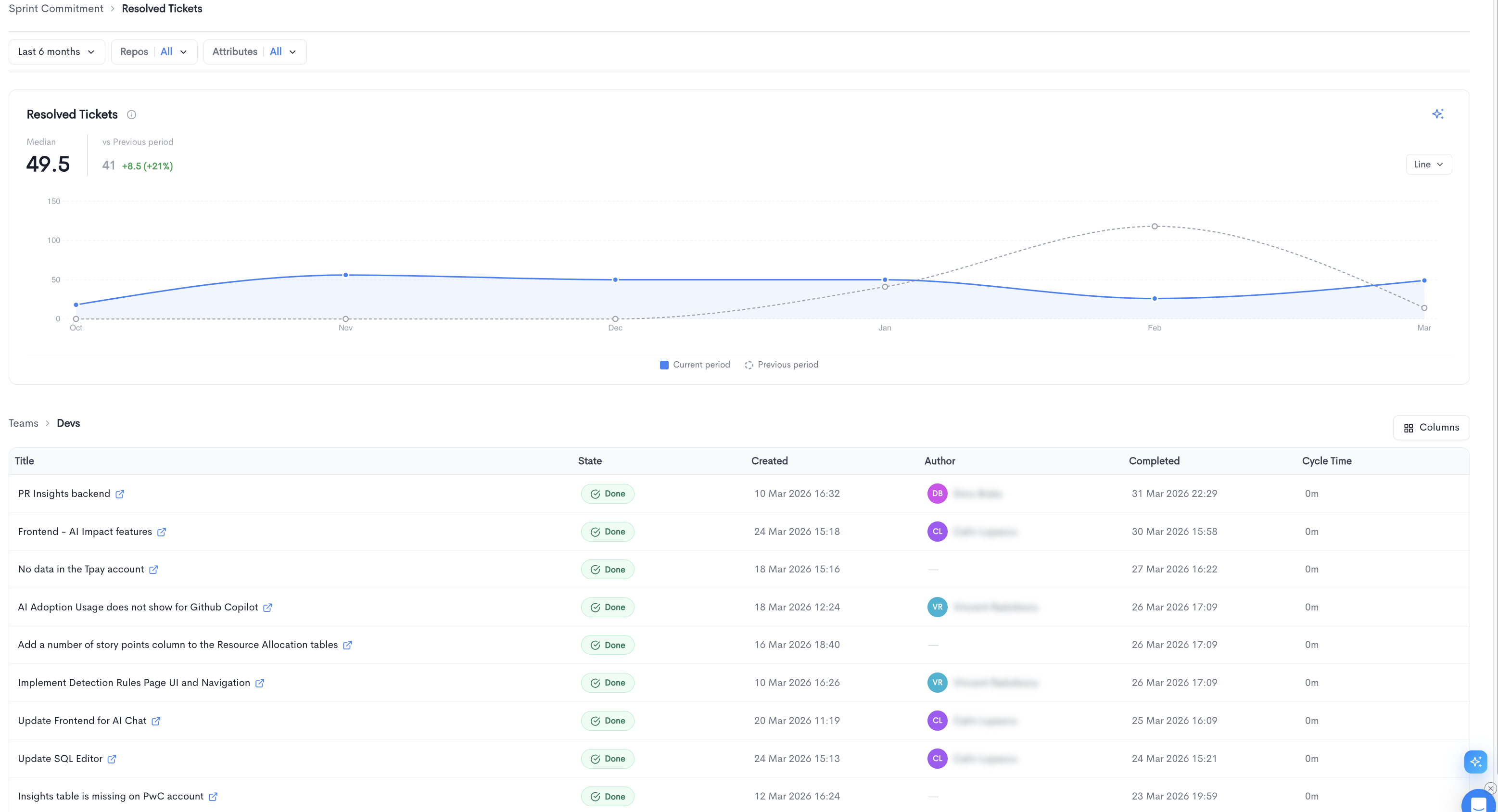
Clicking on a team's median value opens a drilldown view for that specific team. The drilldown displays the trend chart for the selected team and a paginated table listing all individually resolved issue, with the following columns:
- Title - The issue title, linked to the source provider.
- State - The current state of the issue (e.g. Done).
- Created - The date and time the issue was created.
- Author - The developer assigned to the issue.
- Completed - The date and time the issue was completed.
- Cycle Time - The time elapsed from when work started to completion.
You can adjust the visible columns using the Columns button.
Updated about 1 month ago